FOCUS Hunt: Showdown
UndetectedТОП
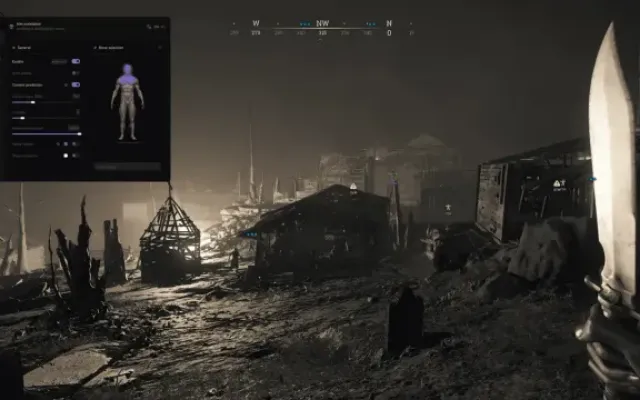
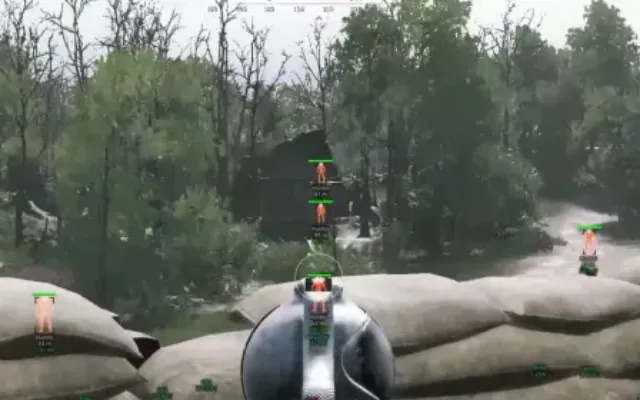
ESP for players, bosses and monsters, sound traps and a custom crosshair. No auto-aim.
ESP · PLAYERS78
- ESP — Master switch for player ESP. On by default.
- Boxes — Draw boxes around players. On by default.
- Full box — Full boxes instead of corners. Off by default.
- Fill box — Fill the player box. Off by default.
- Skeleton — Draw the player skeleton. On by default.
- Health bar — Display a health bar. On by default.
- Health text — Display health as a number. Off by default.
- Distance — Display the distance to a player. On by default.
- ESP range — 100–3000 m. Default: 2500 m.
- Boss names — Display boss names. On by default.
- Butcher — Independent visibility toggle for this boss category. On by default.
- Spider — Independent visibility toggle for this boss category. On by default.
- Assassin — Independent visibility toggle for this boss category. On by default.
- Scrapbeak — Independent visibility toggle for this boss category. On by default.
- Rotjaw — Independent visibility toggle for this boss category. On by default.
- Hellborn — Independent visibility toggle for this boss category. On by default.
- Ursa Mortis — Independent visibility toggle for this boss category. On by default.
- Bloodskin — Independent visibility toggle for this boss category. On by default.
- Atlas — Independent visibility toggle for this boss category. On by default.
- Other bosses — Independent visibility toggle for this boss category. On by default.
- Show monsters — Master switch for monster ESP. On by default.
- Boxes — Draw boxes around monsters. On by default.
- Names — Display monster names. On by default.
- Distance — Display the distance to monsters. On by default.
- Range — 20–1000 m. Default: 150 m.
- Grunts (zombies) — Independent visibility toggle for this monster category. On by default.
- Armored — Independent visibility toggle for this monster category. On by default.
- Hives — Independent visibility toggle for this monster category. On by default.
- Hellhounds — Independent visibility toggle for this monster category. On by default.
- Immolators — Independent visibility toggle for this monster category. On by default.
- Meatheads — Independent visibility toggle for this monster category. On by default.
- Leeches — Independent visibility toggle for this monster category. On by default.
- Water devils — Independent visibility toggle for this monster category. On by default.
- Firebreathers — Independent visibility toggle for this monster category. On by default.
- Hive swarms — Independent visibility toggle for this monster category. On by default.
- Cocoons — Independent visibility toggle for this monster category. On by default.
- AI hunters — Independent visibility toggle for this monster category. On by default.
- Other monsters — Independent visibility toggle for this monster category. On by default.
- Crows — Independent visibility toggle for this sound trap. On by default.
- Ducks — Independent visibility toggle for this sound trap. On by default.
- Dog kennels — Independent visibility toggle for this sound trap. On by default.
- Chicken coops — Independent visibility toggle for this sound trap. On by default.
- Dying horses — Independent visibility toggle for this sound trap. On by default.
- Dying cows — Independent visibility toggle for this sound trap. On by default.
- Bats — Independent visibility toggle for this sound trap. On by default.
- Pigs — Independent visibility toggle for this sound trap. On by default.
- Snake baskets — Independent visibility toggle for this sound trap. On by default.
- Coach horses — Independent visibility toggle for this sound trap. On by default.
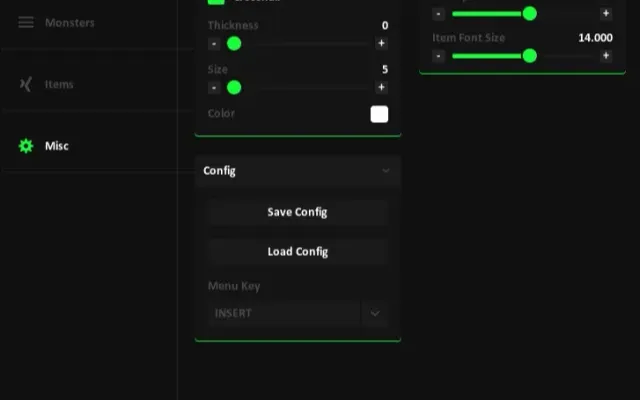
- Crosshair — Master switch for the custom crosshair. Off by default.
- Cross lines — Crosshair lines. On by default.
- T-style — Crosshair without the top line. Off by default.
- Center dot — Center dot. On by default.
- Circle — Crosshair circle. Off by default.
- Outline — Outline the crosshair. On by default.
- Size — 3–40 px. Default: 8 px.
- Gap — 0–30 px. Default: 3 px.
- Thickness — 1–6 px. Default: 2 px.
- Players — Player color. Default: #FF2D2D.
- Health — Health color. Default: #28DC50.
- Bosses — Boss color. Default: #FFDC28.
- Monsters — Monster color. Default: #FF8C14.
- Crosshair — Crosshair color. Default: #00D2DC.
- Save — Save settings under a custom name.
- List and load — Browse saved configs and load the selected one.
- Menu key — Default: Home.
- Menu scale — 60–120%. Default: 100%.
- Reset menu settings — Restore the default menu settings.
- Accent preset — Focus blue
- Violet
- Cyan
- Mint
- Rose or Amber
- Accent color — Choose a custom accent color.
- Search — Search all 67 functions using the field at the top of the menu.
- Quick scaling — Ctrl + mouse wheel or Ctrl + plus/minus.
- Exit — Exit button in the sidebar.
- Overlay — Drawn only while the game is in the foreground.
- Auto-aim — Hunt does not include auto-aim.
- Windows 10
- 22H2
- Windows 11
- 25H2
- Processor
- AMD / Intel
- Architecture
- x64 only (64-bit)
- Platform
- Steam only
Другие читы для Hunt: Showdown
Все читы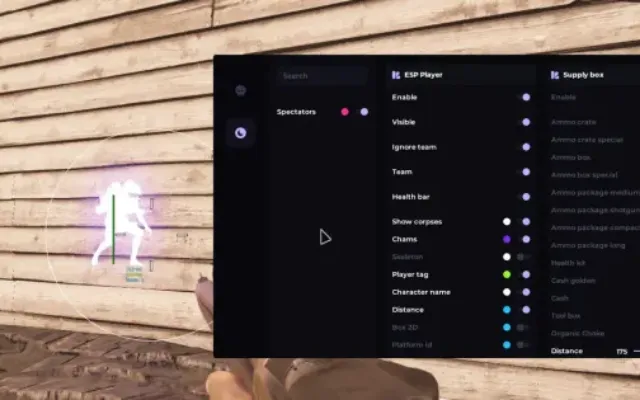
Перед покупкой: что значат статусы читов, как проверить системные требования, как купить чит. Смотрите также все читы для Hunt: Showdown и все читы FOCUS.