
MASON-RUST-FULL
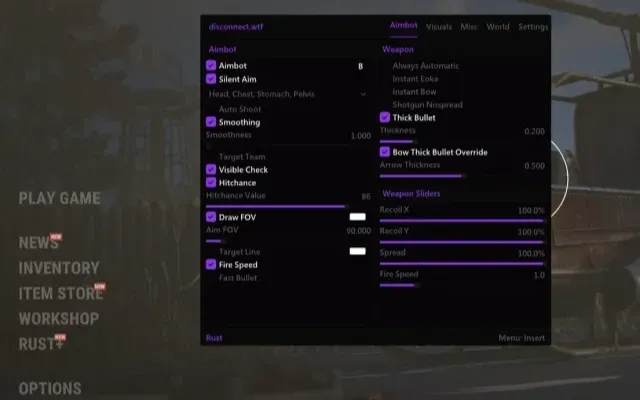
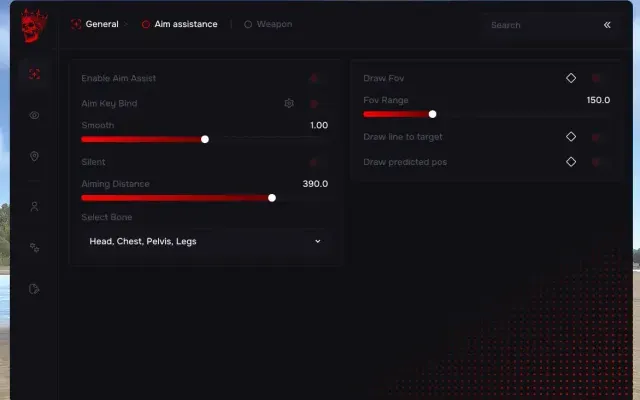
AIMBOT
NOTE: "VECTOR AIM" VERSION IS TEMPORARILY DOWN / "SILENT" VERSION IS FUNCTIONAL
Activating the Aimbot function also automatically enables the "Aimbot Target Highlight" feature.
Silent Aim: Enable Silent Aim (Allows you to hit targets without pointing your crosshair directly at them)
Aim Smooth (LOW SMOOTH IS A BAN RISK): Adjust aiming smoothness. Low values significantly increase the risk of a ban.
Show Nearby Dropped Items: Shows items dropped by players (requires "Show Nearby Collectibles" to be active)
Show Dormant: Displays the last known position of a player even if the client has no current data
Chams Type: Select Chams type for visible enemies. Colors: Pink, Blue, Green, Red. Hidden/Occluded enemies will be shown in White.
Program functionality may change at any time at the developer's discretion, though we always strive to keep information up to date.
MISC8
- Tab Enable: Turn on Misc features
- Full Bright: Allows you to see at night as if it were day
- Instant Eoka: Allows for an instant shot with the Eoka pistol
- Camera Zoom: Keybind for camera zoom functionality
- Interactive Free Cam: (Use at your own risk) / TEMPORARILY OUT OF SERVICE
- Remove Constructions: Allows you to see through walls
- Custom Sky Color
- FOV Changer: Change the in-game Field of View
VISUALS32
VISUALISATION
- Tab Enable: Turn on ESP
- Show Bounding Box: Display 2D boxes
- Show Snapline: Draw lines to targets
- Show Distance: Display distance
- Show Player Name: Display player nicknames
- Show Player Weapon: Display held weapons
- Show Player Belt Items: Display items in the player's hotbar
- Show Nearby Collectible: Display nearby collectible resources
- Show NPC: Display NPCs
- Show Scientist: Display Scientists
- Show Animals
- Show Vehicle: Display vehicles and their names
- Show Recycler: Display recyclers
- Show Copters: Display Minicopters/Scrap Helis
- Show Crates: Display loot crates
- Show Cupboards: Display Tool Cupboards (TC)
- Show Food
- Show Supply Drop: Display Airdrops
- Show Traps
- Show Turrets
- Show Sulfur Ore
- Show Metal Ore
- Show Stone Ore
- Show Wood Pile
- Ignore Sleepers: Do not show sleeping players
- Players Distance Limit: Set render distance for players
- Object Distance Limit: Set render distance for objects/items
- Show Workbench
- Show Skeleton
- Show Out of FOV Players: Arrows indicate enemies behind or to the side of you
- Show Bullet Tracers: Visualize bullet trajectories
- FULLBRIGHT
OTHER20
CONFIGURATION
- Save CPU: CPU resource optimization
- Menu Key: Set key to open the cheat menu
- Panic Key: Emergency button to disable the software
- Battle Mode Key: Key to toggle "Battle Mode" (shows only players)
- Load Config from Clipboard: Import settings
- Visuals Font Size: Adjust text size for ESP
- Save Config to Clipboard: Export settings
GRAPHICAL USER INTERFACE
- Show Aim Radius: Visual circle for Aimbot FOV
- Show Crosshair: Display crosshair in center of screen
- Show Radar: Display 2D Radar
- Radar Size: Set radar display size
- Radar Radius: Set radar scanning range
- Tab Enabled: Turn on Aimbot
- Aim Prediction: Enable target prediction (leads the target)
- Auto Switch: Automatically switch to the next target within the Aimbot radius
- Aim Key: Set activation key (must be held down)
- Aim Spot: Select target body part
- Aim Radius: Set Aimbot FOV radius
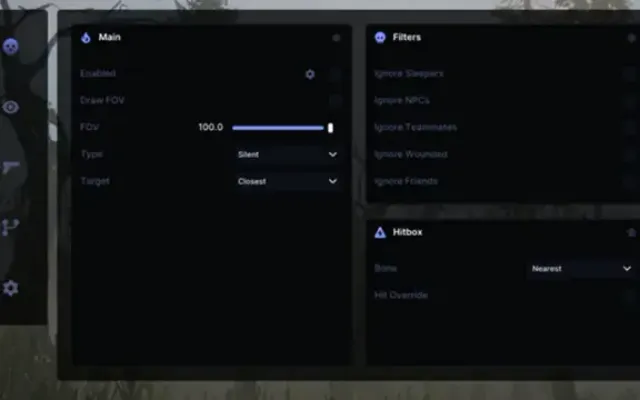
- Ignore Team: Aimbot will ignore teammates
- Ignore Wounded: Aimbot will ignore downed/wounded players
- Дополнительные требования к системе Windows
- Включить VT-x / VT-d (Виртуализация) / Включить Hyper-V / Отключить Secure Boot
- Требуемый формат диска для работы чита
- Поддерживает только GPT (MBR не работает!)
- Встроенный спуфер
- Да
- Античит
- EAC
- Обход записи в ОБС
- Да
- Поддерживаемые режимы игры
- Оконный, Безрамочный
- Поддерживаемые процессоры
- Intel / AMD
- Поддерживаемые системы
- Windows 10 (2004 / 20H2 / 21H1 / 21H2 / 22H2) , Windows 11(работоспособность не гарантирована)

Другие читы для Rust
Все читы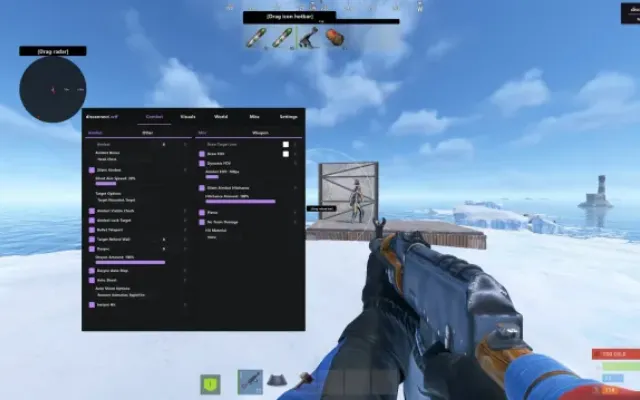
Перед покупкой: что значат статусы читов, как проверить системные требования, как купить чит. Смотрите также все читы для Rust и все читы Mason.