FOCUS SCP: Secret Laboratory
GAME: SCP: Secret Laboratory
UNDETECTED
DESCRIPTION
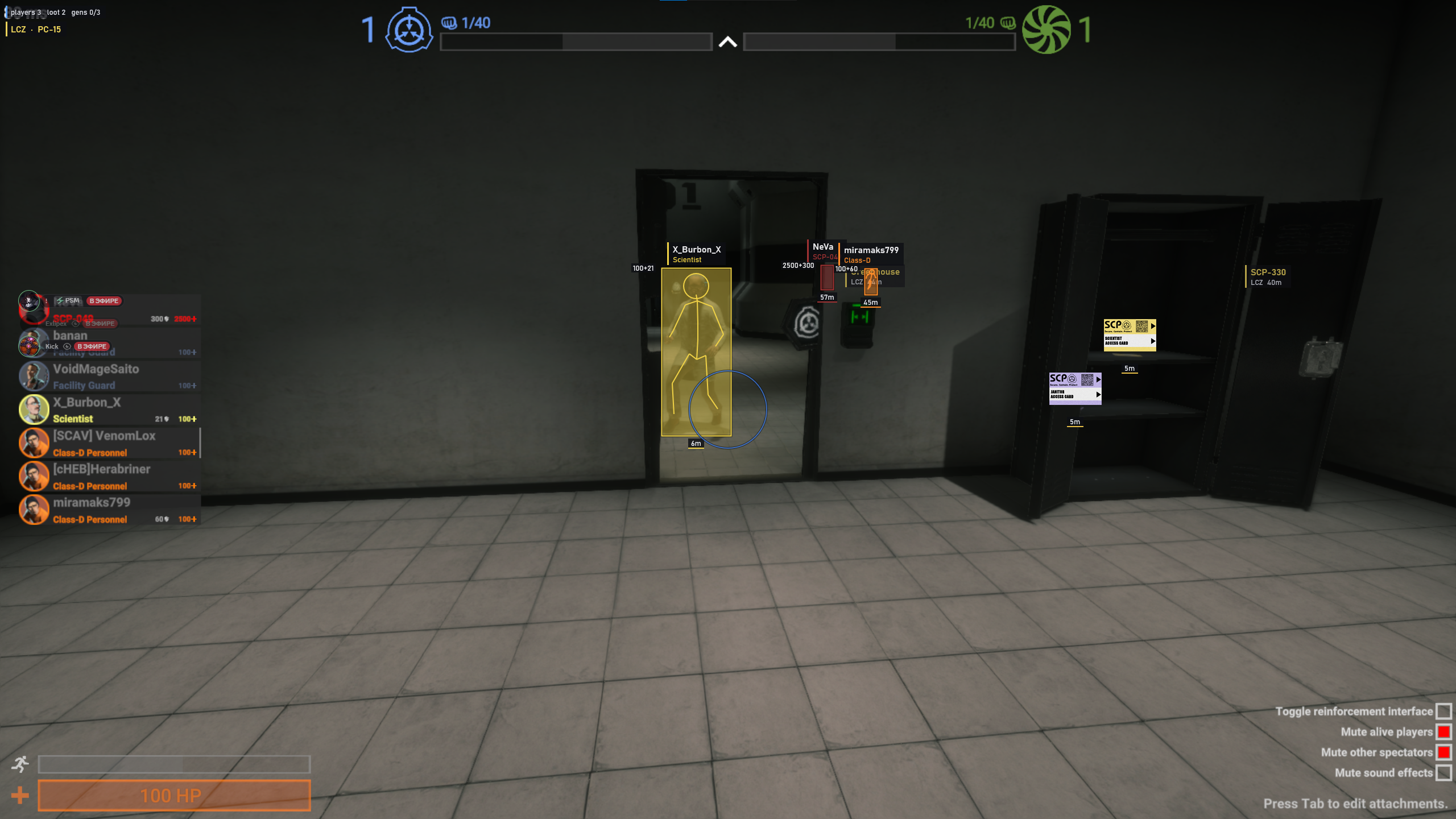
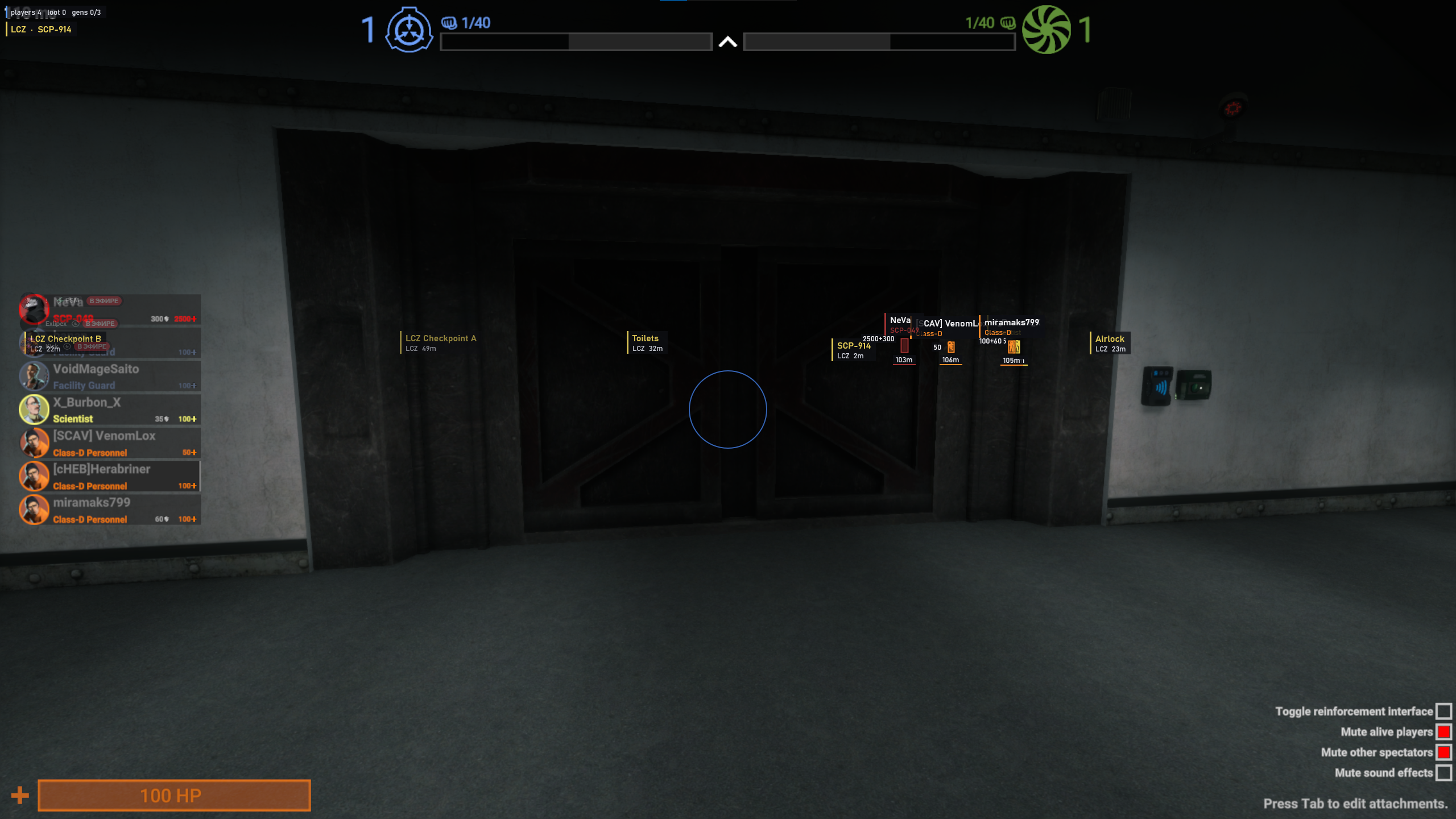
Aim assistance, player and loot ESP, room labels and generator markers. Customizable colors, interface settings and configurations.
FEATURES
Aim assistance
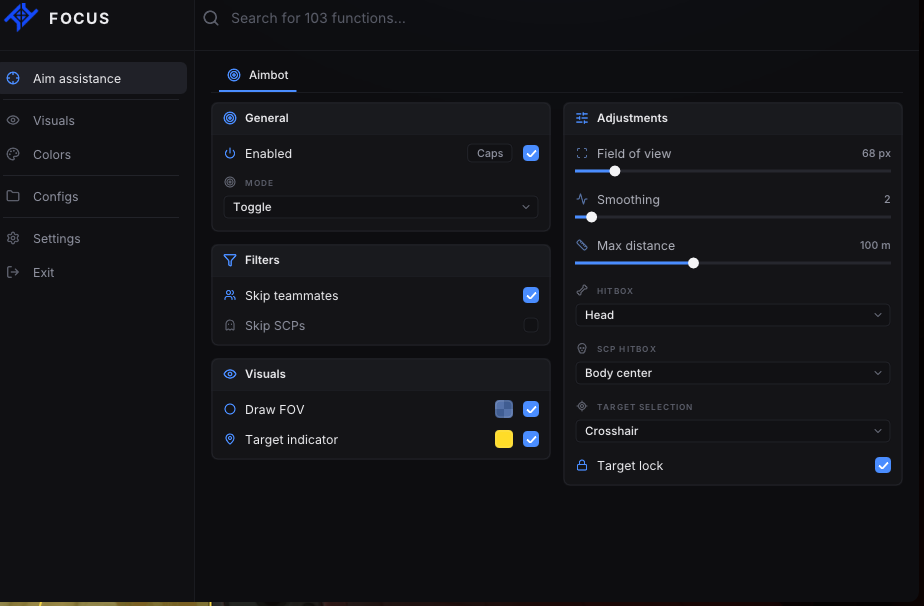
- Enabled & hotkey — Enable aim assistance and bind a hotkey. The default is the X2 side mouse button.
- Mode — Hold, Toggle or Always.
- Field of view — 20–400 px; default 120 px.
- Smoothing — 1–20; default 5.
- Max distance — 10–250 m; default 100 m.
- Hitbox — Head, Neck, Chest, Stomach or Pelvis.
- SCP hitbox — Body center, Head, Neck, Chest, Stomach or Pelvis.
- Target selection — Crosshair or Closest target selection.
- Target lock — Lock onto the selected target. Enabled by default.
- Skip teammates — Exclude teammates from targeting. Enabled by default.
- Skip SCPs — Exclude SCPs from targeting. Disabled by default.
- Draw FOV — Display the field of view with a configurable color. Enabled by default.
- Target indicator — A target indicator with a configurable color. Enabled by default.
ESP · Players
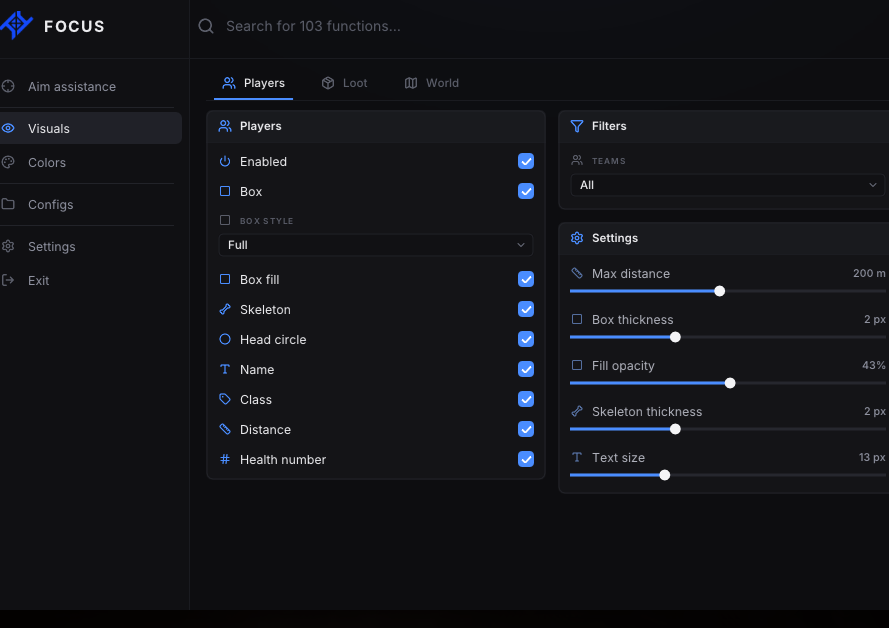
- Player ESP — Master toggle for player ESP. Enabled by default.
- Box — Display player boxes. Enabled by default.
- Box style — Corners or Full. Default: Full.
- Box fill — Fill the inside of the box. Disabled by default.
- Skeleton — Display the skeleton. Enabled by default.
- Head circle — A circle around the head. Enabled by default.
- Name — Player name. Enabled by default.
- Class — Player class. Enabled by default.
- Distance — Distance to the player. Enabled by default.
- Health bar — Display health as a bar. Enabled by default.
- Health number — Numeric health display. Disabled by default.
- Team filters — Class-D, Scientists, Guards, MTF, Chaos, Tutorial and SCPs. All enabled by default.
- Max distance — 20–400 m; default 250 m.
- Box thickness — 1–4 px; default 2 px.
- Fill opacity — 5–80%; default 20%.
- Skeleton thickness — 1–4 px; default 2 px.
- Text size — 10–20 px; default 13 px.
ESP · Loot
- Loot ESP — Master toggle for loot ESP. Enabled by default.
- Icons — Item icons. Enabled by default.
- Name — Item names. Disabled by default.
- Distance — Distance to items. Enabled by default.
- Icon size — Small, Medium or Large. Default: Medium.
- Category filters — Keycards, Weapons, Ammo, Medical, Grenades, Armor, SCP items and Other. All enabled by default.
- Max distance — 5–200 m; default 60 m.
ESP · World
- Room labels — Room labels. Enabled by default.
- Current room — Display the current room. Enabled by default.
- Room max distance — 10–200 m; default 60 m.
- Generators — Display generators. Enabled by default.
- Generator distance — Distance to generators. Enabled by default.
- Info bar — HUD information bar. Enabled by default.
- Brightness boost — Increase brightness. Disabled by default.
- Brightness strength — 0–100%; default 75%.
Colors · Classes
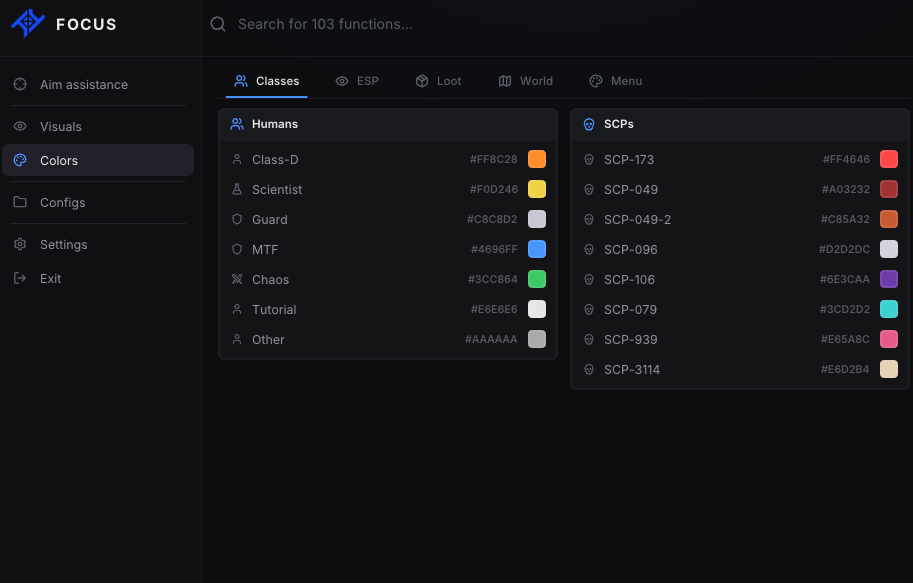
- Humans — Separate colors for Class-D, Scientist, Guard, MTF, Chaos, Tutorial and Other.
- SCPs — Separate colors for SCP-173, SCP-049, SCP-049-2, SCP-096, SCP-106, SCP-079, SCP-939 and SCP-3114.
Colors · ESP
- Custom box color — Use a custom box color. Disabled by default.
- Custom skeleton color — Use a custom skeleton color. Disabled by default.
- Name color — Customize the player name color.
- Distance color — Customize the distance text color.
- Box outline — Customize the box outline color.
- Label background — Customize the label background color.
- Class accent bar — Class accent bar. Enabled by default.
Colors · Loot
- Category colors — Individual colors for all eight categories: Keycards, Weapons, Ammo, Medical, Grenades, Armor, SCP items and Other.
Colors · World
- Zones — Colors for LCZ, HCZ, EZ and Surface.
- Generator states — Colors for Locked, Open, Activating and Engaged states.
Colors · Menu
- Accent presets — Focus blue, Violet, Cyan, Mint, Rose and Amber.
- Custom accent — Choose a custom menu accent color.
Settings · Menu
- Menu key — Default: Insert.
- Panic key — Default: End.
- Menu scale — Adjust the menu scale from 60% to 120%.
- Reset menu settings — Restore the default menu settings.
- Top glow — Glow at the top of the menu. Enabled by default.
- Open with — Fade, Slide or None.
Weapon
- No recoil — Remove recoil. Disabled by default.
Performance
- FPS limit — Monitor refresh rate, 144, 120, 90 or 60 FPS.
- Loot updates per frame — 4–64; default 16.
Configs
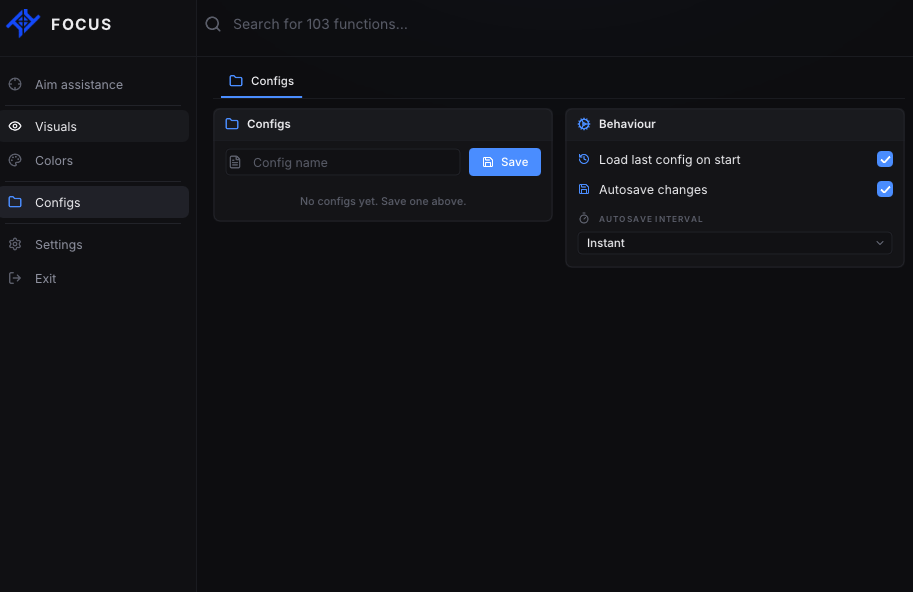
- Save by name — Save settings under a custom name.
- Config list — A list of saved configurations.
- Load last config on start — Automatically load the last configuration on startup. Enabled by default.
- Autosave changes — Automatically save changes. Enabled by default.
- Autosave interval — Instant, every 30 seconds or every 5 minutes.
SYSTEM REQUIREMENTS
Windows 10: 22H2
Windows 11: 25H2
Processor: AMD / Intel
Architecture: x64 only (64-bit)
Platform: Steam only
Windows 11: 25H2
Processor: AMD / Intel
Architecture: x64 only (64-bit)
Platform: Steam only