MASON-Caliber
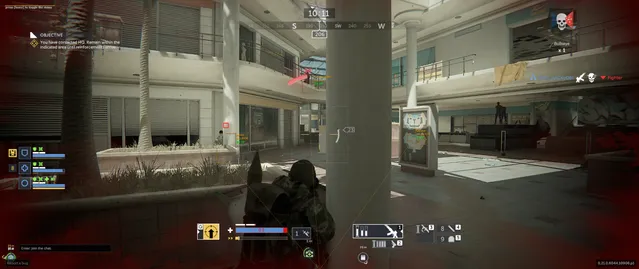
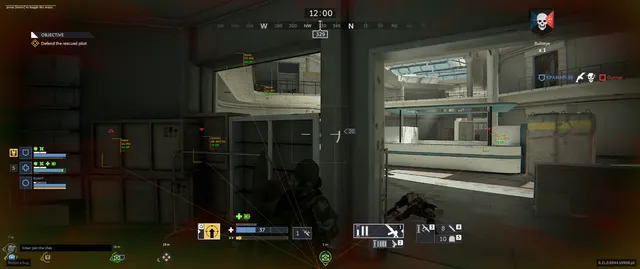
ОПИСАНИЕ
AIM ASSIST / USE AT YOUR OWN RISK
Enabled: Activate Aimbot
Aim Key: Set aimbot activation key
Aim Radius: Set the area/FOV where the aimbot operates
Aim Precision: Adjust aimbot accuracy/smoothing
Aim Spot: Select target body part (Head, Chest)
Auto Switch: Automatically switch to the next target within the aim radius
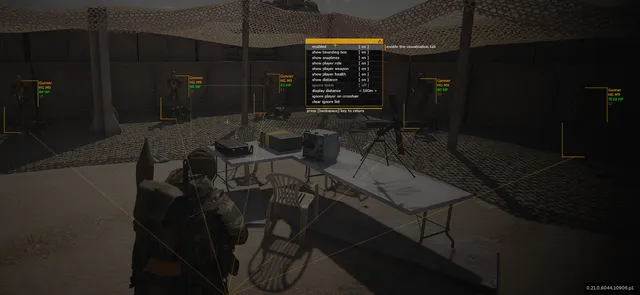
VISUALISATION
Enabled: Activate ESP
Show Bounding Box: Draw a 2D box around the enemy
Show Snaplines: Draw lines from you to the enemy
Show Player Role: Display enemy's specific role/class
Show Player Weapon: Display the weapon held by the enemy
Show Player Health: Display enemy health
Show Distance: Display distance to the enemy
Ignore Team: Do not show/target teammates
Render Distance: Set the maximum distance to display enemies
Ignore Player on Crosshair: Adds the player closest to your crosshair to an ignore list (ESP and Aimbot will stop working on them)
Clear Ignore List: Resets the list of ignored players
GRAPHICAL USER INTERFACE
Menu Key: Set key to open the menu
Save CPU: CPU optimization mode
Show Crosshair: Draw a crosshair in the center of the screen
Show Aim Radius: Visual circle showing the aimbot's field of view
Program functionality may change at any time at the developer's discretion, though we always strive to keep information up to date.
ФУНКЦИИ
СИСТЕМНЫЕ ТРЕБОВАНИЯ
Нет
Античит:
EAC
Обход записи в ОБС:
Да
Поддерживаемые режимы игры:
Все
Поддерживаемые процессоры:
Intel и AMD
Поддерживаемые системы:
Windows 10 x64 (2004, 20H2, 21H1, 21H2, 22H2) , Windows 11 x64