MASON-Call of Duty: Black Ops 7
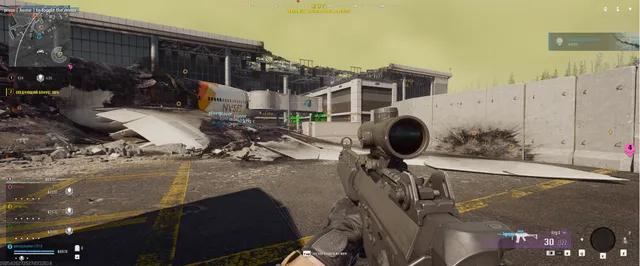
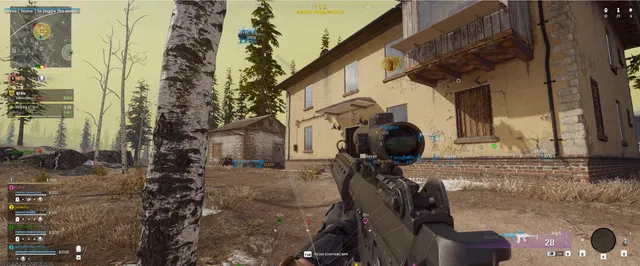
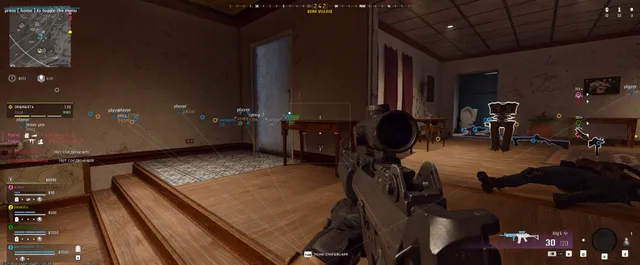
ОПИСАНИЕ
AIMBOT / USE AT YOUR OWN RISK
Tab Enable: Turn on Aimbot
Auto Switch: Select body part for aiming (Note: Russian description says "Select body part," though English label suggests target switching)
Aim Key: Set aimbot activation key
Aim Radius: Set the operating radius (FOV) of the aimbot
Aim Smooth: Set aimbot smoothing (humanization)
VISUALISATION
Tab Enable: Turn on Visuals
Show Players
Show Bounding Box: Show 2D boxes around targets
Show Snapline: Draw lines to targets
Show Distance
Show Name
Show Current Weapon
Show Ground Loot: Items on the ground
Show Weapon Loot
Show Cash Loot
Show Armor Loot
Show Crate Loot
Ignore Team: ESP will ignore your own teammates
Player Distance Limit: Set max render distance for players
Loot Distance Limit: Set max render distance for items
CONFIGURATION
Save CPU: Optimize resources to reduce load (recommended for weak PCs)
Menu Key: Set key to open menu (Default is "HOME")
Panic Key: Set emergency key to disable the cheat entirely
Battle Mode Key: Set key to activate Battle Mode (disables non-essential visual features)
Load Config from Clipboard: Save user settings (Note: The Russian source text implies "Save" here, despite the English label saying "Load")
Save Config to Clipboard: Load user settings (Note: The Russian source text implies "Load" here, despite the English label saying "Save")
GRAPHICAL USER INTERFACE
Show Aim Radius: Visual circle showing aimbot FOV
Show Crosshair: Display crosshair in center of screen
Program functionality may change at any time at the developer's discretion, though we always strive to keep information up to date.
ФУНКЦИИ
СИСТЕМНЫЕ ТРЕБОВАНИЯ
Supported game mode: Windowed / Fullscreen
Supported Windows OS: 10&11 x64, versions (2004 / 20H2 / 21H1 / 21H2 / 22H2 / 23H2 / 24H2 / 25H2 / 26H1).
Supported anti-cheats: Ricochet
Supported modes: BO6 / Warzone
Supported processors: Intel and AMD
Invisibility in videos or screenshots: Yes
BIOS boot mode: UEFI.
System disk boot record format: GPT.
Additional Windows system requirements: Enable VT-x / VT-d (Virtualization) / Enable Hyper-V / Disable Secure Boot