MASON-Counter-Strike 2
ОПИСАНИЕ
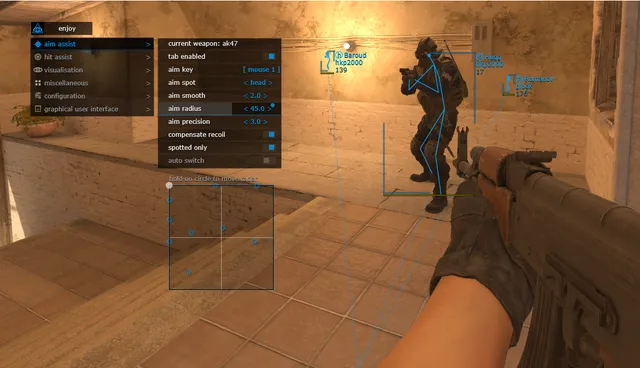
AIM ASSIST
Current Weapon: Settings specific to the currently selected weapon
Tab Enable: Activate Aimbot
Aim Key: Set aimbot activation key (must be held down to work)
Aim Spot: Select target body part
Aim Smooth: Adjust aimbot smoothness
Aim Radius: Set the aimbot FOV radius
Aim Precision: Adjust aimbot accuracy
Compensate Recoil: Active recoil compensation while aimbot is firing
Spotted Only: Aimbot only targets enemies visible on the radar/screen
Auto Switch: Automatically switch to the next target after a kill
RCS Threshold: Adjust the level of Recoil Control System (RCS) compensation
Trigger Delay: Set the delay before the triggerbot fires
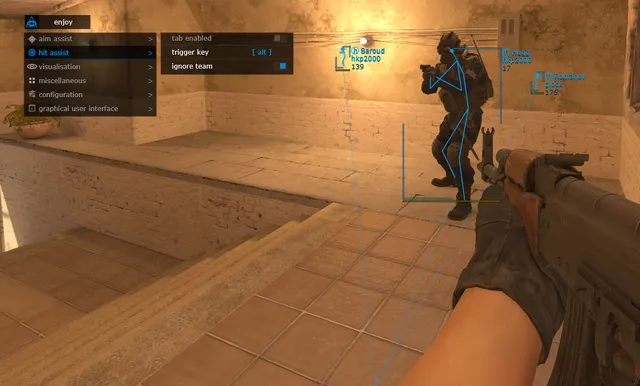
HIT ASSIST
Tab Enable: Activate Triggerbot
Trigger Key: Set key for Triggerbot
Ignore Team: Triggerbot will ignore teammates
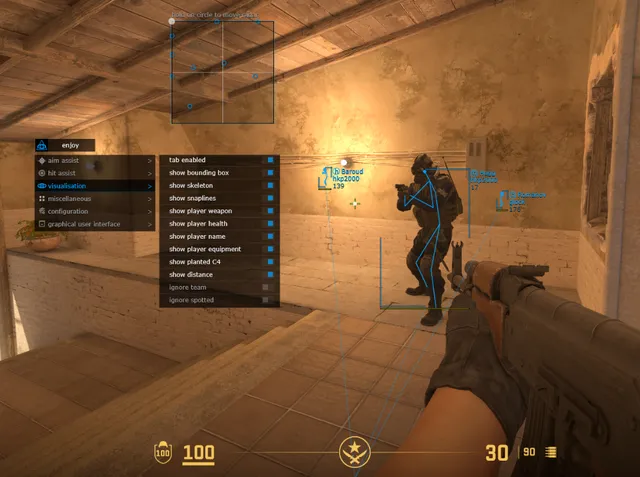
VISUALISATION
Tab Enable: Activate Visuals
Show Bounding Box: Draw a 2D box around players
Show Skeleton: Draw player skeleton
Show Snaplines: Draw lines to players
Show Player Weapon: Display weapon held by players
Show Player Health: Display enemy health
Show Player Name: Display player nicknames
Show Player Equipment: Display enemy equipment
Show Planted C4: Show C4 location and time until explosion
Show Distance: Display distance to enemies
Ignore Team: Visuals ignore teammates
Ignore Spotted: Ignore "visible" players (filters visuals based on visibility)
CONFIGURATION
Save CPU: CPU resource optimization
Load Config from Clipboard: Import settings
Save Config to Clipboard: Export settings
GRAPHICAL USER INTERFACE
Menu Language Selection: (Available: English / Chinese)
Show Aim Radius: Visual circle showing aimbot FOV
Show Custom Crosshair: Display crosshair in center of screen
Show Radar: Enable 2D Radar (Move radar by holding Left Mouse Button on it)
Radar Size: Set radar display size
Radar Radius: Set radar scanning range
Program functionality may change at any time at the developer's discretion, though we always strive to keep information up to date.
ФУНКЦИИ
СИСТЕМНЫЕ ТРЕБОВАНИЯ
Нет
Античит:
VAC
Обход записи в ОБС:
Да
Поддерживаемые режимы игры:
Все
Поддерживаемые процессоры:
Intel и AMD
Поддерживаемые системы:
Windows 10 x64 (2004, 20H2, 21H1, 21H2, 22H2) , Windows 11 x64