MASON Internal-Counter-Strike 2
ОПИСАНИЕ
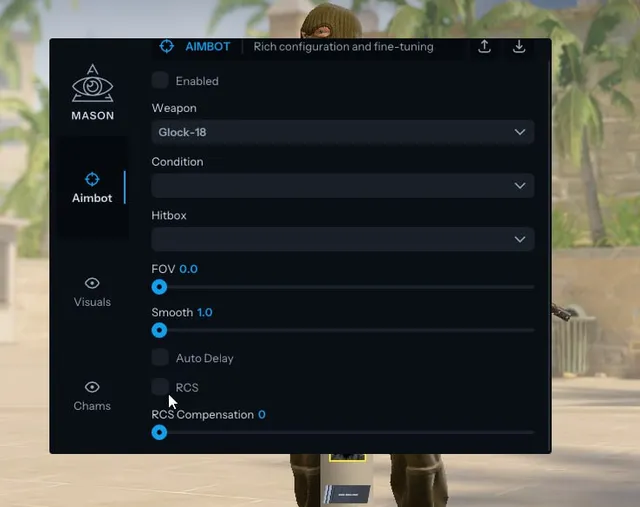
Aimbot
Enable: Turn on Aimbot
Weapon: Select weapon specific settings
Condition: Select activation condition
Hitbox: Select target body part
FOV: Set operation radius (Field of View)
Smooth: Set aiming smoothness
Auto Delay: Automatic delay before shooting
RCS: Recoil Control System
RCS Compensation: Set recoil control intensity
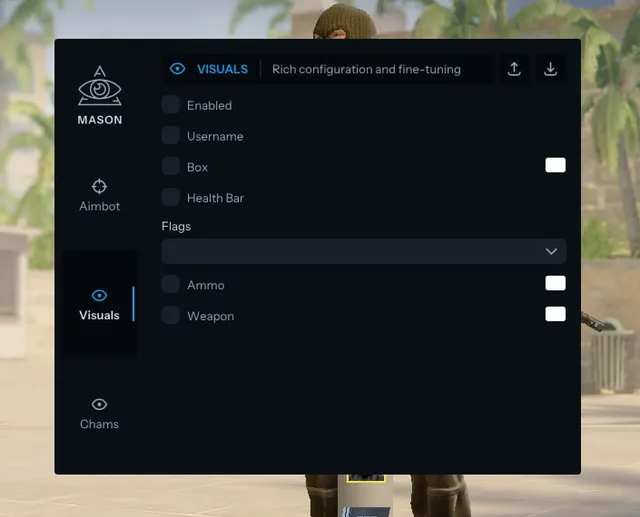
Visuals
Enable: Turn on Visuals
Username: Show player names
Box: Show 2D boxes
Health Bar: Show health bar
Flags: Player status flags (Planting/Defusing bomb, Blinded, Reloading)
Ammo: Show ammo count
Weapon: Show held weapon
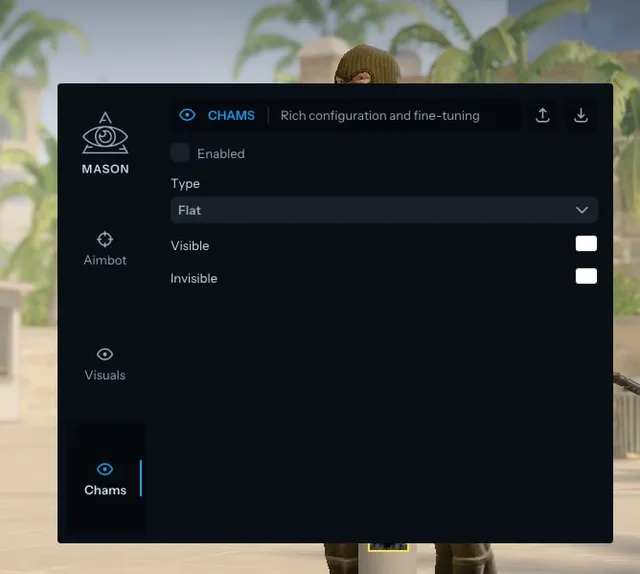
Chams
Enable: Turn on Chams (Player coloring)
Type: Select Chams style/material
Visible: Settings for visible players
Invisible: Settings for players behind walls
Config
Create: Create a new user config file
Load: Load a user config file
World
Enable: Turn on World features
World Modulation: Change world color/tint
Light Modulation: Change map lighting
Sun Modulation: Change sun color
Clouds Modulation: Change cloud color
Skybox Modulation: Change skybox color
Program functionality may change at any time at the developer's discretion, though we always strive to keep information up to date.
ФУНКЦИИ
СИСТЕМНЫЕ ТРЕБОВАНИЯ
Supported game mode: Windowed / Windowed fullscreen / Fullscreen
Supported Windows OS: 10&11 x64, versions (2004 / 20H2 / 21H1 / 21H2 / 22H2 / 23H2).
Supported anti-cheat: Valve Anti-Cheat
Supported processors: Intel and AMD
Invisibility support in videos or screenshots: No