MASON
ОПИСАНИЕ
Here is the translation of the feature list into English. This configuration appears to be for a survival game like DayZ.
AIM ASSIST
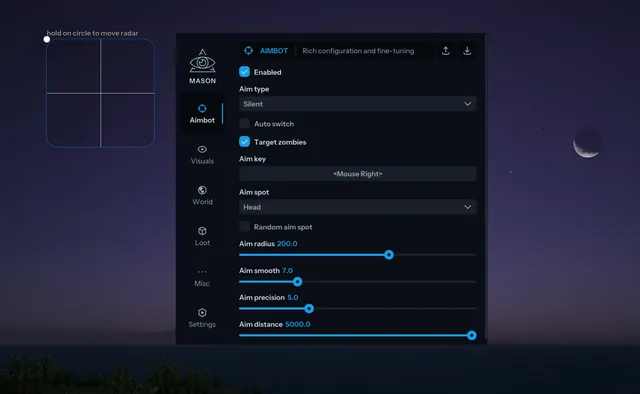
Enabled: Enable aimbot (Default is "Vector" aimbot)
Aim Precision: Set accuracy/smoothing for Vector aimbot
Silent Aimbot: Enable Silent Aimbot (Disables Vector aimbot when active)
Aim Distance Limit: Set max distance for aimbot operation
Aim Key: Set aimbot activation key
Aim Bone: Select target body part
Aim Radius: Set aimbot Field of View (FOV)
Random Spot: Randomize the target body part (bone)
Auto Switch: Automatically switch to the next target within range
ESP
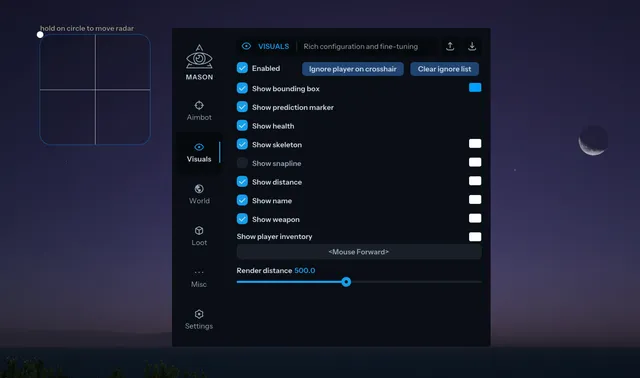
Enabled: Enable ESP
Show Bounding Box: Show 2D box on enemies
Show Name: Show player names
Show Skeleton: Show player skeleton
Show Weapon: Show player's current weapon
Show Distance: Show distance to player
Show Prediction Marker: Show lead target indicator (up to 500m)
Show Player Inventory: Keybind to view enemy inventory contents
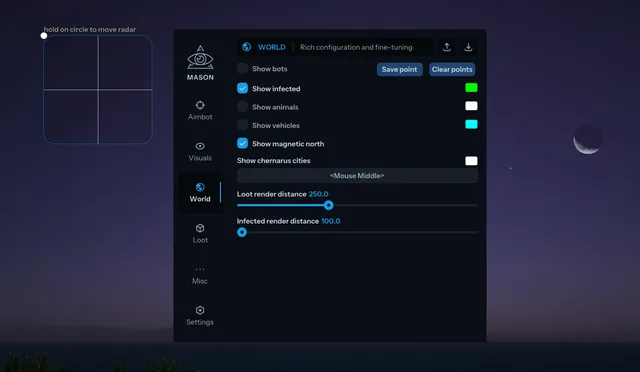
Show Chernarus Cities: Keybind to show names of all cities/towns on the map
Show Infected: Show Zombies/Infected
Show Animals
Show Vehicles
Show Loot: General loot toggle
Show Common Items: Show items on the ground
Show Weapon Items: Show guns on the ground
Show Attachments: Show weapon mods, magazines, etc.
Show Food: Show food and drink
Show Medicine: Show medical items (blood bags, bandages, etc.)
Show Clothing: Show gear, backpacks, and armor
Show Corpses: Show dead bodies
Show Buildings: Show specific structures
Show Wrecks: Show Heli Crashes and Car Wrecks
Show Magnetic North: Compass indicator
Loot Distance: Set max render distance for items
Display Distance: Set max render distance for players
Radar: Enable 2D radar
MISC
Enabled: Enable Misc features
Always Day: Force daylight (Brightens environment)
Remove Grass: Disable rendering of grass and bushes
Aspect Ratio: Change screen aspect ratio
SOFT UI
Menu Key: Set menu toggle key (Default: "Home")
Panic Key "Delete": Key to immediately disable all features
Battlemode Key: Key to hide all visuals except players (for combat clarity)
Save CPU: Lowers CPU usage (may reduce cheat refresh rate)
Show FOV: Display aimbot radius circle
Show Cross: Display crosshair in center of screen
Program functionality may change at any time at the developer's discretion, though we always strive to keep information up to date.
ФУНКЦИИ
СИСТЕМНЫЕ ТРЕБОВАНИЯ
UEFI bios , Включить виртуализацию, Отключить Secure boot
Поддерживаемые режимы игры:
Все
Поддерживаемые процессоры:
Intel и AMD
Поддерживаемые системы:
Windows 10 (2004 / 20H2 / 21H1 / 21H2 / 22H2), Windows 11 (21H2 / 22H2)
Встроенный спуфер:
Нет
Античит:
BATTLEYE
Обход записи в ОБС:
Да