Umbrella
ОПИСАНИЕ
Main Features
Auto Cast Items: Automatically uses items in combat.
Prevent Enemy Initiation: Anti-initiation logic to counter enemy attacks.
Automatic Reflection / Dodge: Auto-dodges or reflects incoming spells.
Illusion Control: Automated control of your hero's illusions.
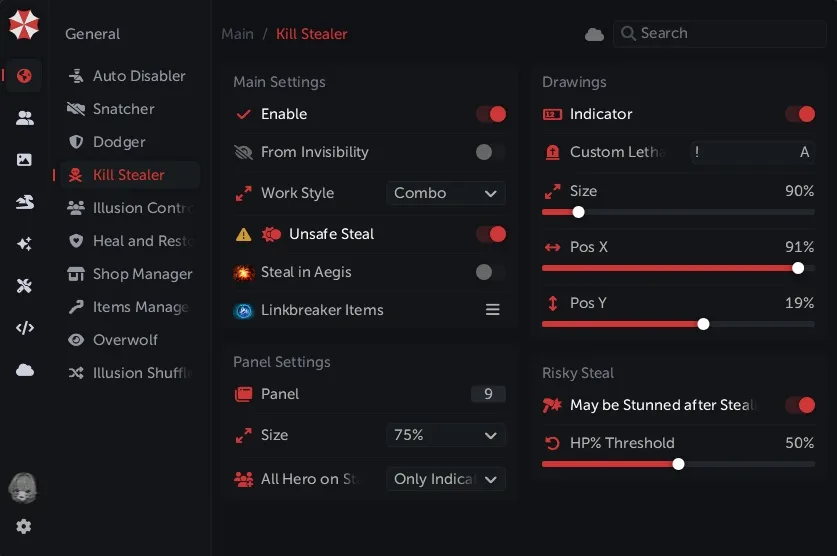
Kill Stealer: Automatically finishes off enemies.
Display All Radiuses: Shows all relevant in-game radiuses (spells, attack ranges, etc.).
Auto-Pickup: Automatically picks up dropped items and runes.
Utility
Auto-Accept Match: Automatically accepts the game queue.
Anti-Illusion Target: Forces abilities to be cast on the real hero instead of illusions.
Armlet Abuse: Automates Armlet of Mordiggian toggling for survival.
Courier: Automated courier control and assistance.
MMR Tracker: Displays the amount of MMR gained or lost after a match.
Enemy Roles: Displays the roles of all enemies during the draft phase.
Auto Pick / Ban: Automatically picks or bans chosen heroes.
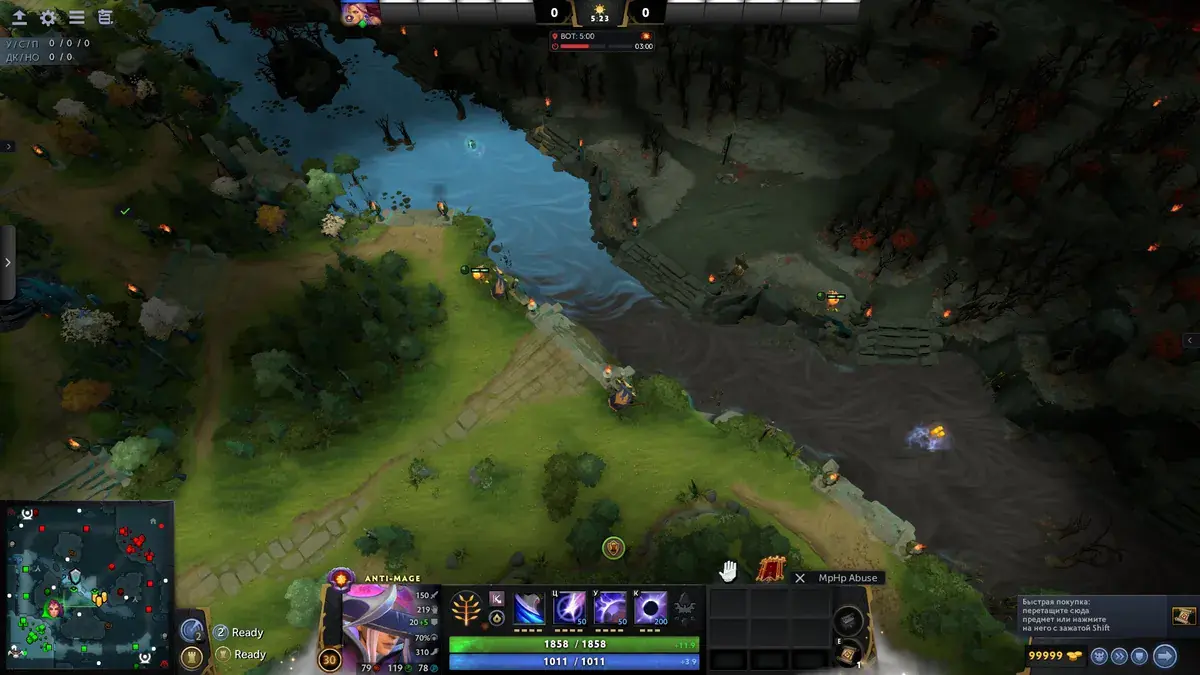
MP / HP Abuse: Drops and picks up stat items to maximize healing and mana regeneration.
Skins & Visuals
Unlock Dota Plus: Unlocks Dota Plus features locally.
Unlock All Emoticons: Grants access to all chat emoticons.
Labyrinth Paths: Shows the correct paths for Aghanim's Labyrinth.
Skip Tutorial: Bypasses the in-game tutorial.
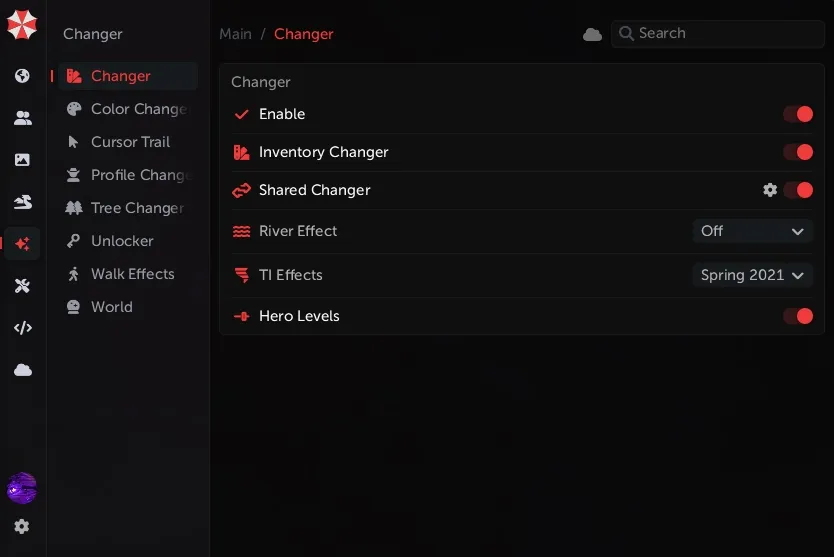
Select TI Effects: Enables visual effects from all past The International tournaments.
Change River: Customizes the water/river color.
Change Trees: Replaces default tree models.
Skinchanger: Adds all in-game skins and cosmetic items to your local inventory.
Information 1
Visibility (Are You Seen?)
Enable Script: Toggle True Sight / visibility indicator.
For Allied Heroes: Shows if allies are visible to the enemy.
Display on Creeps: Shows if creeps are visible to the enemy.
Heroes
Effect Duration: Displays the remaining time of buffs/debuffs on enemies.
Enemy Abilities: Shows the cooldowns and skill levels of enemy abilities.
Ally & Enemy Items: Displays the inventories of all players.
Enemy HP & MP: Displays the exact health and mana of enemies.
Customization: Visual settings for all the scripts listed above.
Top Bar
Display HP / MP Bars: Shows health and mana bars under the top portraits.
Display on Allies: Enables top bars for teammates.
Display Ultimates: Shows the ultimate cooldown status for all players.
Display Picked Up Runes: Shows which rune a player recently picked up.
Display Last Hits: Shows creep score / last hits.
Hide Panel on Hold (ALT): Hides the top panel when holding the ALT key.
Side Panel
Enemy Items: Shows a list of important items held by enemies.
Net Worth: Displays the total gold value of enemy and allied heroes.
Wards
Display Wards: Shows enemy ward locations.
Display Type: Choose rendering style (2D / 3D / Both).
Display Ward Radiuses: Shows the vision range of placed wards.
Side Notifications
Enemy Teleports: Alerts you when an enemy uses a Town Portal Scroll.
Important Item Purchases: Alerts you when an enemy buys a key item (e.g., BKB, Blink Dagger).
Dangerous Ability Usage: Alerts you when a high-impact spell is cast.
Information 2
Important Notifications
Smoke Usage: Notifies you when enemies use Smoke of Deceit.
Bounty Rune Spawn: Alerts you when Bounty Runes are spawning.
Power Rune Spawn: Alerts you when Power Runes are spawning.
Camp Stack Timing: Notifies you of the correct time to stack a neutral creep camp.
Camera
Change Camera Distance: Adjusts your maximum field of view.
Smooth Camera Zoom Out: Enables a smooth transition when zooming out.
Smoothness Duration: Adjusts the speed of the smooth zoom.
Camera Zoom Type: Selects the method for zooming.
Zoom Steps: Adjusts the increments of the mouse wheel zoom.
Roshan
Roshan Info on Screen: Displays Roshan's spawn timer and aegis status on the HUD.
Roshan Info in World: Displays Roshan's status physically at the Rosh Pit.
Minimap
Display on Minimap:
Power Runes
Enemy Wards
Bounty Runes
Map & Jungle
Teleports Through Fog of War: Shows enemy TP locations even in hidden areas.
Draw Arrows on Map: Draws movement or trajectory arrows on the map.
Jungle Map: Enables tracking for the jungle.
Farming Hero HP: Shows the health of the enemy hero currently farming neutral camps.
Information 3
Ability Warnings
Enable Script: Toggle the warning system.
Display Image on Use: Shows an icon when a specific spell is cast.
Hero Ability Icon
Hero Portrait
Display Secondary Image: Shows a backup visual indicator.
Change In-World Icon Size: Adjusts the size of the warning in the 3D game space.
Display on Minimap: Shows ability usage markers on the minimap.
Change Minimap Icon Size: Adjusts the size of the minimap warning icons.
Enemy Illusions
Enable Script: Toggle the anti-illusion tracker.
Real Hero Color: Select the highlight color for the actual enemy hero.
Illusion Color: Select the highlight color for fake clones/illusions.
Hidden Information
Hidden Abilities: Tracks abilities used in the Fog of War.
Linear Abilities: Draws the trajectory lines of skillshots (e.g., Meat Hook, Sacred Arrow).
Enemy Scan & Glyph Cooldown: Displays the cooldown timers for the enemy team's Scan and Fortification.
Dangerous Abilities: Highlights high-threat spells.
Controlled Unit Duration: Shows the remaining lifespan of enemy summons.
Bounty Runes in Fog of War: Shows if bounty runes are still active in hidden areas.
Tower Radiuses: Shows the attack range of structures.
Enemy towers only
All towers on the map
Linken's Sphere Effect: Displays information when an enemy's Linken's Sphere is active or broken.
Text display
In-game visual effect
Enemy Sentry Wards Effect: Displays the True Sight radius of enemy Sentry Wards.
Settings
Enable / Disable Built-in Scripts: Master switch for loading included scripts.
Personalize Menu Behavior: Customize how the software UI acts.
Change Menu Hotkey: Set a custom key to open/close the cheat menu.
Change Script Reload Hotkey: Set a custom key to refresh the cheat engine.
Save Last Opened Tabs: Remembers which menu tabs you were looking at upon closing.
Open Tabs on Click: Adjusts navigation style within the menu.
Pin Log Window: Locks the developer/event log to the screen.
Block In-Game Clicks: Prevents accidental movement in Dota 2 while clicking around the cheat menu.
Disable Menu Icons: Removes graphical icons from the cheat UI for a cleaner look.
Script Operation Section: Advanced controls for how the scripts inject.
Disable All Server Scripts: Turns off all cloud-based features.
Visual Panic Key: A bind to instantly disable all on-screen ESP/visuals.
Change Language: Switch the cheat menu language.
Additional Security Settings: Configures anti-cheat bypass parameters.
Safe Mode: Limits features to only the safest, undetected options.
Unlock Jungle Maphack & Roshan HP: Forces access to hidden server data for camps and Roshan.
Enable Script Log & Errors: Shows a debugging window for troubleshooting.
Reload Scripts Button: A manual UI button to refresh the software.
Creeps
Auto Stack: Automatically moves your hero or controlled units to stack neutral camps.
Auto Blocker: Automatically stutters your hero to block the creep wave and control lane equilibrium.
Auto Last Hit: Automatically attacks creeps at the exact moment to secure the gold.
Visual Settings for Last Hitting: Overlays showing when a creep is killable.
Auto De-aggro: Automatically attacks an allied creep to drop enemy tower or creep aggro.
Creep Wave Routing: Shows the exact pathing and current location of advancing creep waves.
Overwolf
Player Statistics Tracker: A script that pulls match history and player statistics for everyone in your current lobby, automatically suggesting the best heroes to ban based on enemy spam-picks.
ФУНКЦИИ
СИСТЕМНЫЕ ТРЕБОВАНИЯ
Внутриигровой
Поддерживаемые режимы игры:
Оконный,Безрамочный,Полноэкранный
Поддерживаемые процессоры:
Intel и AMD
Поддерживаемые системы:
Windows 7,8,8.1,10