715 Team Web Radar
ОПИСАНИЕ
Select map
1. Factory
2. Customs
3. Woods
4. Shoreline
5. Interchange
6. Lab
7. Reserve
8. LightHouse
9. Streets of Tarkov
10. GroundZero
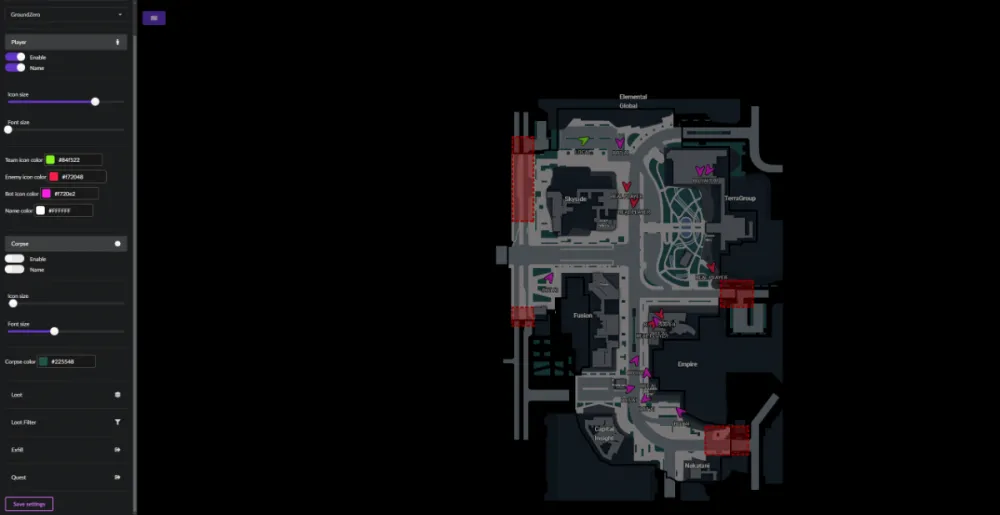
Player
1. Enable Player - enable display of players
2. Player name - enable display of player names
3. Player icon size - customize icon size for players
4. Player Font Size - adjust font size for players
5. Team Icon Color - customize team icon color
6. Enemy Icon Color - customize enemy icon color
7. Bot Icon Color - customize bot icon color
8. Name Color - customize player text color
Corpse
1. Enable Corpse - enable display of dead
2. Enable Corpse name - enable display of dead names
3. Corpse icon size - adjust icon size for dead
4. Corpse Font Size - adjust font size for dead
5. Corpse Icon Color - customize corpse icon color
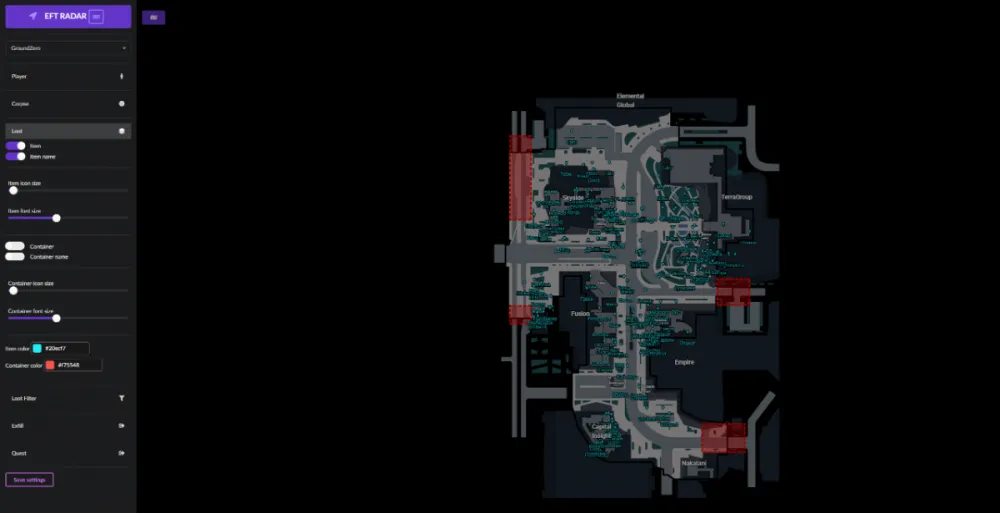
Loot
1. Enable Item - enable loot display
2. Enable Item Name - enable display of loot name
3. Item icon size - adjust loot icon size
4. Item Font Size - adjust font size for loot
5. Enable Container - enable display of containers
6. Enable Container Name - enable display of container names
7. Container icon size - adjust icon size for containers
8. Container Font Size - adjust font size for containers
9. Item Icon Color - customize item icon color
10. Container Icon Color - customize container icon color
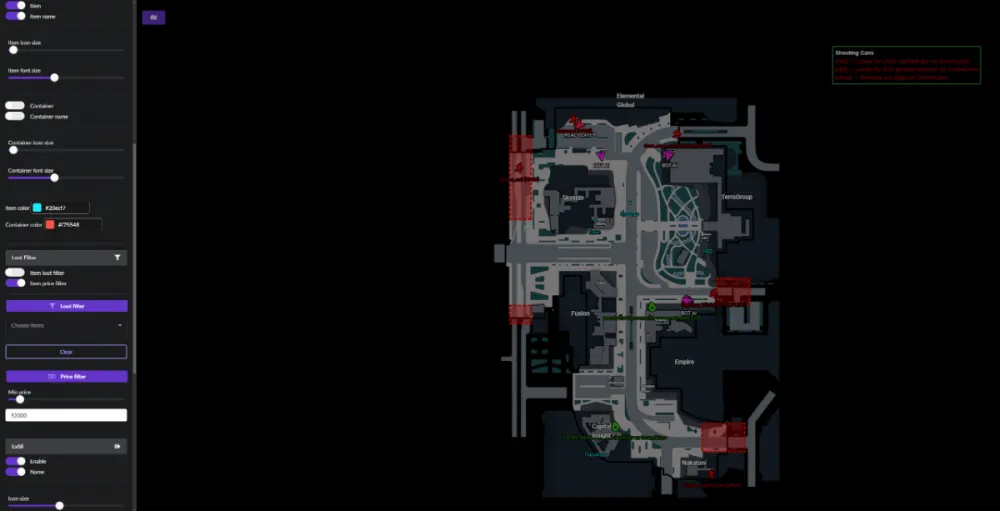
Loot Filter
1. Item Loot Filter - enable loot filter by items
2. Item Price Filter - enable loot filter by price
3. Select Item - select the desired items to display
4. Select price - set the price from which the loot will be displayed
Exfil
1. Enable Exfil - enable display of exfil
2. Enable Exfil Name - enable display of exfil name
3. Exfil icon size - adjust exfil icon size
4. Exfil Font Size - adjust font size for exfil
5. Exfil Icon Color - customize exfil icon color
Qeust - квесты
1. Enable Qeust - enable display of quest assistant
2. Quest Info Window - display a window with full information about the tasks for the active quest
3. Enable Marker - enable marker display
4. Enable Marker Name - enable display of marker names
5. Hide Complete Marker - hide to show markers for completed tasks
6. Marker Font Size - adjust font size for markers
7. Marker Icon Size - adjust icon size for markers
8. Marker Icon Color - customize marker icon color
Save Settings - save menu settings
ФУНКЦИИ
СИСТЕМНЫЕ ТРЕБОВАНИЯ
Поддерживает только GPT (MBR не работает!)
Встроенный спуфер:
Нет
Античит:
BATTLEYE
Обход записи в ОБС:
Присутствует
Поддерживаемые режимы игры:
Оконный, Безрамочный, Полноэкранный
Поддерживаемые процессоры:
Intel и AMD
Поддерживаемые системы:
Windows 10 PRO