Byster MegaLadder


ОПИСАНИЕ
Controls and Functions
Hotkeys
1 – 4 (number row) / Num1 – Num4 (NumPad) Select upgrade rarity: Common / Rare / Epic / Legendary
F1 – F4
Obtain random items from chests / moai according to the selected rarity
F5
Reset the selected rarity of upgrades and items
Tab
Switch between teleport lists (default — “All”)
F6
Teleport selected items
General
Free chests are enabled by default
It is recommended to enable the “Skip chest animation” option to speed up the process
Menu (Insert key)
Main
Localization
Main functionality
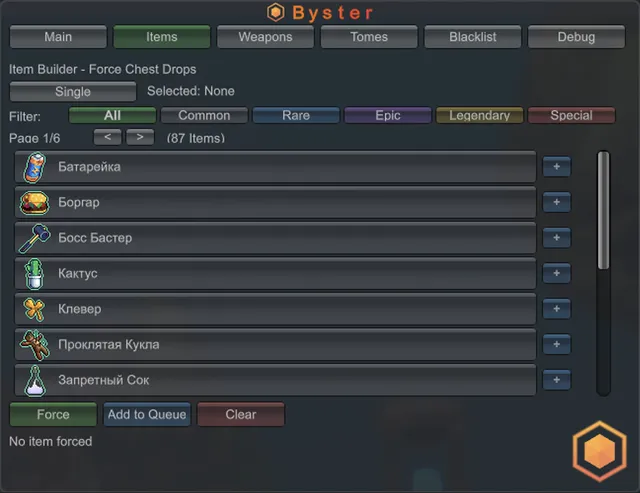
Items
Selecting items from the chest
Queue of items for build
Weapons
Selecting the desired weapon when looting
The selected weapon always drops first
Tomes
Selecting the desired tomes during the roll
The selected tomes always drop second
Blacklist
Disabling the drop of selected items from chests
Debug
Information about bans
Forced synchronization
ФУНКЦИИ
СИСТЕМНЫЕ ТРЕБОВАНИЯ
OS: WINDOWS 10 | WINDOWS 11
Game Mode: Windowed
Processor: AMD | INTEL
Client: STEAM
Built-in Spoofer: No
Graphics Card: AMD | NVIDIA
Build Version: Any