LEX ESP
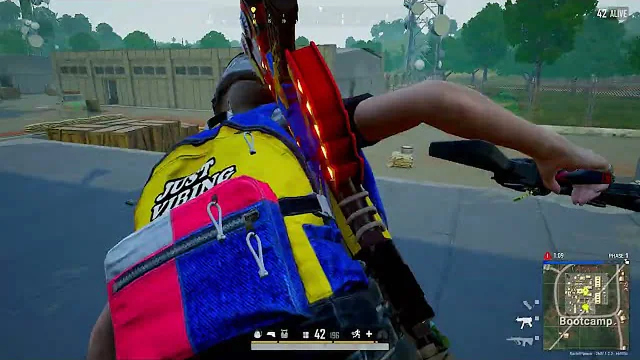
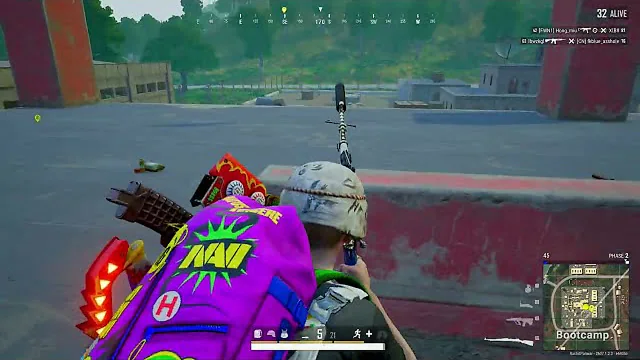
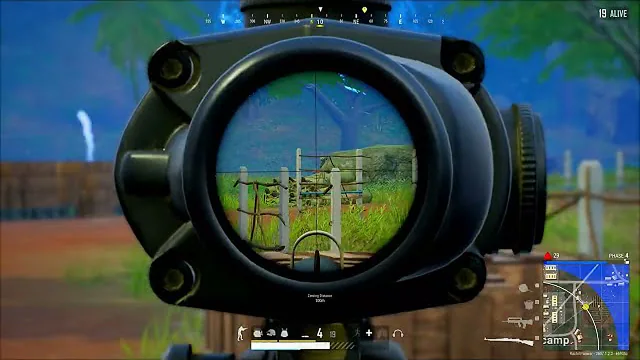
ОПИСАНИЕ
Support Windows 10! Support Windows 11! HWID Spoofer included!
Video Host:
Features List:
👤 Player ESP Features
Master Controls:
Enable/disable Player ESP (popup with toggle hotkey)
Max render distance: 1 – 1000
Dynamic font scaling:
Min font size: 10.0 – Max
Max font size: Min – 30.0
Enemy Indicators (Out-of-Screen):
Enable/disable (popup)
Max distance: 0 – 1000
FOV limit: 0 – 180
Indicator thickness: 1.0 – 5.0
Opacity scaling:
Min opacity: 0.00 – 1.00
Max opacity: 0.00 – 1.00
Size scaling:
Min size: 1.0 – Max size
Max size: Min size – 30.0
Shape types:
Triangle
Dot
Color modes:
Static color (RGBA)
Team color (alpha 0 – 255)
Visibility-based: Visible color / Non-visible color
Head Circle:
Enable/disable (popup)
Size: 1.0 – 10.0
Thickness: 1.0 – 5.0
Filled (on/off)
Color modes:
Static color (RGBA)
Team color (alpha 0 – 255)
Visibility-based: Visible / Non-visible
Distance ESP:
Enable/disable (popup)
Merge with nickname (on/off)
Position: Top / Bottom / Left / Right
Color modes:
Static color (RGBA)
Team color (alpha 0 – 255)
Visibility-based: Visible / Non-visible
Nickname ESP:
Enable/disable (popup)
Position: Top / Bottom / Left / Right
Color modes:
Static color (RGBA)
Team color (alpha 0 – 255)
Visibility-based: Visible / Non-visible
Weapon ESP:
Enable/disable (popup)
Position: Top / Bottom / Left / Right
Color modes:
Static color (RGBA)
Team color (alpha 0 – 255)
Visibility-based: Visible / Non-visible
Box ESP:
Enable/disable (popup)
Shape: Frame / Corner
Rounding: 1 – 20
Thickness: 1.0 – 5.0
Width scale: 0.10 – 1.00
Filled (on/off) + fill color
Color modes:
Static color (RGBA)
Team color (alpha 0 – 255)
Visibility-based: Visible / Non-visible
Tracer Lines:
Enable/disable (popup)
Origin: Top / Middle / Bottom
Thickness: 1.0 – 5.0
Color modes:
Static color (RGBA)
Team color (alpha 0 – 255)
Visibility-based: Visible / Non-visible
Skeleton ESP:
Enable/disable (popup)
Thickness: 1.0 – 5.0
Color modes:
Static color (RGBA)
Team color (alpha 0 – 255)
Visibility-based: Visible / Non-visible
Health Bar:
Enable/disable (popup)
Position: Top / Bottom / Left / Right
Thickness: 1.0 – 5.0
Color alpha: 0 – 255
Status ESP:
Enable/disable (popup)
Position: Top / Bottom / Left / Right
Color modes:
Static color (RGBA)
Team color (alpha 0 – 255)
Visibility-based: Visible / Non-visible
Velocity ESP:
Enable/disable (popup)
Position: Top / Bottom / Left / Right
Color modes:
Static color (RGBA)
Team color (alpha 0 – 255)
Visibility-based: Visible / Non-visible
Prediction Lines:
Enable/disable (popup)
Prediction time: 0.1 – 5.0
Line length: 10 – 300
Line thickness: 1.0 – 5.0
Show end point (on/off)
End point size: 1.0 – 10.0
Color modes:
Static color (RGBA)
Team color (alpha 0 – 255)
Visibility-based: Visible / Non-visible
Minimum velocity threshold: 1.0 – 100.0
Proximity Alerts:
Enable/disable (popup)
Proximity radius: 10.0 – 200.0
Pulsating border (on/off)
Proximity warning text (on/off)
Border thickness: 1.0 – 10.0
Text size: 10.0 – 30.0
Alert color (RGBA)
Text color (RGBA)
📦 Items ESP Features
Master Control:
Items ESP enable as a combobox category selector
Categories:
Weapons
Packages
Vehicles
Ammo
Attachments
Throwables
Medicine
Equipables
Other Equipables
Weapons:
Toggle via combopicker (enable + color + show type)
Show type:
Type → multi-select by weapon category:
AR, DMR, LMG, Melee, Pistol, Shotgun, SMG, Sniper, Special, Throw
Name → multi-select by weapon name (full list)
Per-category filter selection is saved
Packages:
Toggle via pickerbox (enable + color)
Multi-select package list (full package names)
Vehicles:
Toggle via combopicker (enable + color + show type)
Show type:
Type → multi-select:
Road
Sailing
Name → multi-select by vehicle name (full list)
Ammo:
Toggle via combopicker (enable + color + show type)
Show type:
Holding Weapon → auto shows compatible ammo for current weapon
Type → multi-select by weapon category (AR/DMR/…)
Weapon Name → multi-select by weapon name (uses weapon list)
Name → multi-select by ammo name
Attachments:
Toggle via combopicker (enable + color + show type)
Show type:
Holding Weapon → show only compatible attachments
Type → multi-select by weapon category (AR/DMR/…)
Weapon Name → multi-select by weapon name
Name → multi-select by attachment name
Throwables:
Toggle via pickerbox (enable + color)
Multi-select throwable list (e.g., frag, smoke, molotov, stun, etc.)
Medicine:
Toggle via pickerbox (enable + color)
Multi-select medical list (e.g., first aid, medkit, boosters, bandages)
Equipables:
Toggle via pickerbox (enable + color)
Multi-select gear list (e.g., helmets, vests, backpacks)
Other Equipables:
Toggle via pickerbox (enable + color)
Multi-select custom equipable list
Item ESP Settings:
Max distance: 0 – 1000
Dynamic font scaling for item names:
Min font size: 10.0 – Max
Max font size: Min – 30.0
📡 Radar Features
Enable/Disable:
Master toggle (popup with hotkey)
Position & Size:
Position X: 0 – 1920
Position Y: 0 – 1080
Radar size: 50 – 500
Zoom level: 1 – 100
Max detection distance: 0 – 1000
Dynamic Scaling:
Min size: 1.0 – Max size
Max size: Min size – 6.0
Opacity Scaling:
Min opacity: 0.00 – 1.00
Max opacity: 0.00 – 1.00
Appearance:
Radar shape (internal support): Square / Circle
Color modes:
Static color (RGBA)
Team color (alpha 0 – 255)
Visibility-based: Visible color / Non-visible color
⚙️ Miscellaneous
General:
Spectator count (on/off)
Language selection (instant switch):
EN, CN, RU, DE, FR, HE, JP, PT, TH, TR, VI
Performance:
Game FPS cap: 30 – 240
Render FPS (overlay refresh): 30 – 240
💾 Configurations
Menu & Saving:
Menu key (customizable)
Automatic saving: every menu change is saved immediately
Create & Manage Configs:
New config name input
Create new config (.pubg) with one click
Parse configs and initialize path automatically
Save current settings to the selected config
СИСТЕМНЫЕ ТРЕБОВАНИЯ
Windows 11 all!