FOCUS Albion Online
UndetectedTOP
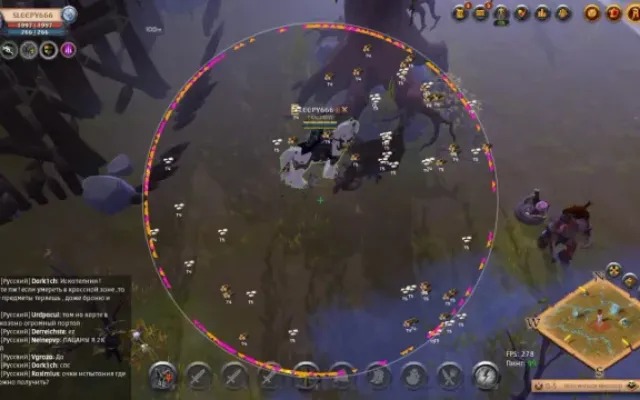
ESP · PLAYERS103
- Players in the world — Display players, names and distance in the world.
- Boxes and tracers — Display player boxes and tracers.
- Tracer origin — Choose the tracer origin: bottom, center or top.
- Radar display — Radar
- players
- names
- distance
- tracers and outline
- Player list — Player list and its outline.
- Range and sizes — Radar range and size, icon and text sizes, and player-list width.
- Resource categories — Separate Wood, Rock, Ore, Fiber and Hide cards. The Hide category contains mobs only.
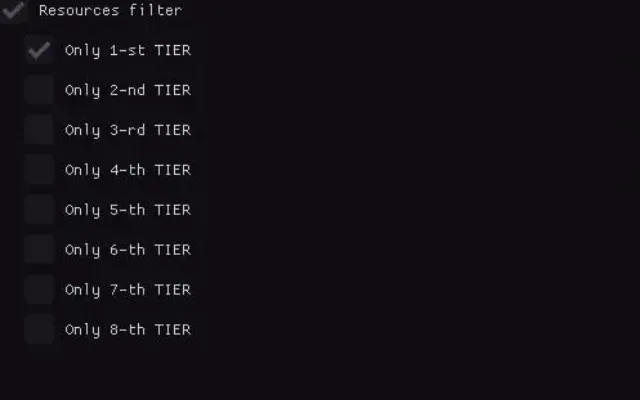
- Per-category filters — Enable each category, select tiers T1–T8, set maximum distance, hide depleted resources and choose a color.
- Resources on radar — Separate display
- tier
- enchantment
- distance
- charges and name settings
- Resources in the world — Separate display, tier, enchantment, distance, charges and name settings.
- Mobs in the world and on radar — Display mobs, distance and names in the world and on radar.
- Mob categories — Separate settings for hostile mobs, bosses and minibosses.
- Aggro radius and range — Aggro-radius display and maximum-distance setting.
- Dungeons in the world and on radar — Display dungeons, distance and names in the world and on radar.
- Dungeon types — Solo
- exits
- Group
- Corrupt
- Hellgate
- Mist Portal and chests
- Fishing spots, wisps and dungeons — For each type: enable, maximum distance, distance display and color.
- Hunting tracks and crystal bosses — For each type: enable, maximum distance, distance display and color.
- Smugglers — Smuggler crates and captive smugglers: separate enable, maximum distance, distance display and color settings.
- Chest mobs, events and chests — For each type: enable, maximum distance, distance display and color.
- Fish circles — Enable fish circles, set their maximum distance, display distance and choose a color.
- Equipment — Equipment display
- icon size
- tier and enchantment display
- and label size
- Player abilities — Ability display, icon size, cooldown timer and readiness ring.
- Icon panel — Panel background and vertical offset.
- Mob abilities — Ability display and an “only after attack” option.
- Icons and cooldown — Icon size, cooldown timer and readiness ring.
- Icon panel — Panel background and vertical offset.
- Resource search and route — Search for resources across the map and display the route.
- Avoid mobs — Mob-avoidance option for auto farming.
- Gathering categories — Wood, Rock, Ore, Fiber and Hide: separate enable, tier selection and minimum-charge settings.
- Hide · Animals — Kill-animals option for the Hide category.
- Start farming by points — Start auto farming along set points.
- Route controls — Smart route, recording, display and mob avoidance.
- Edit points — “Mark / Edit” and clear-route controls.
- Saved routes — Load and delete saved routes.
- Route movement — Smart avoidance
- route recording
- automatic movement
- route display and mob avoidance
- Build a route — “Mark / Edit”, set the start and end, swap endpoints and clear the route.
- Saved routes — Saved-route controls.
- Go to point — Enable movement to a point and mob avoidance.
- Point hotkeys — Set a point with F7; remove it with F6.
- Clear point — Separate clear-point control.
- Enable fishing — Enable automatic fishing.
- Build a fishing route — Recording
- “Mark / Edit”
- start
- end
- swap endpoints and clear the route
- Route settings — Route display, looping and mob avoidance.
- Saved fishing routes — Saved fishing-route controls.
- Fish in place — Enable fishing at a set point.
- Fishing point — Point hotkey: F5; a clear-point control is available.
- Camera mode — Enable with a key binding; top-down or zoomed-out view.
- Rotation and zoom — Rotation uses the middle mouse button; zoom-limit setting.
- Height cut and fog — Height cut, cut-height adjustment and fog setting.
- Free camera — Enable free camera with a key binding.
- Flight mode — Free look or top-down tilt.
- Players — Colors for tracers
- players
- boxes
- names and distance
- Radar and list — Colors for the radar outline, list, list outline, radar background, radar dot and list background.
- Labels and fish — Colors for distance text, fishing-spot text and fish circles.
- Icons — Colors for the readiness ring, panel and panel edge.
- Route elements — Colors for the line
- inactive segment
- point
- start
- end
- target and unreachable segment
- Go to point — Separate color for the “Go to point” element.
- Farming by points — Colors for the line, resource and node.
- Mobs — Colors for hostile mobs, bosses and minibosses.
- Wisps — Separate colors for five wisp rarities.
- Dungeons — Colors for Solo
- Group
- Corrupted
- Hellgates
- Mist Portals and exits
- Resources and objects — Resource and object color settings.
- Interface language — Russian or English.
- Menu key — Menu key: Home.
- Screen sharing — “Hide from screen sharing” option.
- Scale and reset — Menu scale and reset-menu-settings control.
- Accent — Preset color schemes and a custom accent color.
- Save and load — Save and load configurations.
- Windows 10
- 22H2
- Windows 11
- 25H2
- Processor
- AMD / Intel
- Architecture
- x64 only (64-bit)
- Platform
- Steam / standalone launcher
More Albion cheats
All cheats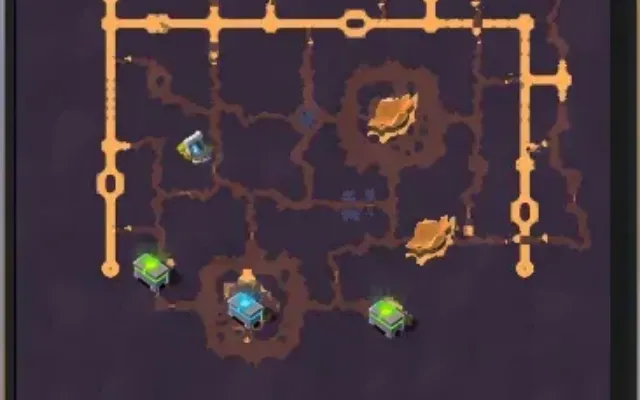
Before you buy: what cheat statuses mean, how to check system requirements, how to buy a cheat. See also all Albion cheats and all FOCUS cheats.