
FOCUS DayZ Web Map
On update
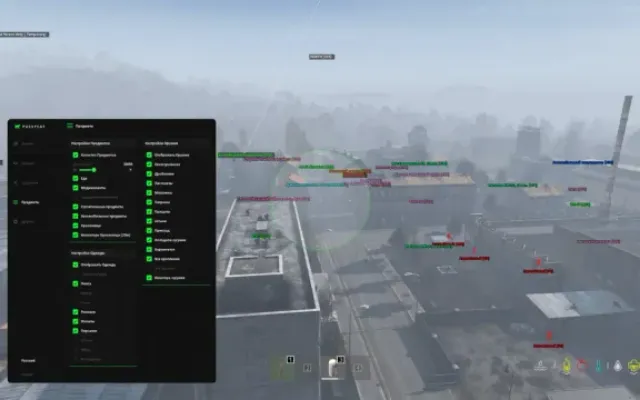
An interactive DayZ map showing players, zombies, vehicles and loot. Satellite and topographic views, item filters and display settings.
PLAYERS7
- Your marker — Your position and viewing direction.
- Follow me — The map follows your marker. Enabled by default.
- Other players — Markers for other players with their viewing direction.
- Player names — Toggle player names above markers with the Names button.
- Dead players — Separate markers for dead players.
- Health — Display player health.
- Coordinates & altitude — Your coordinates and altitude in the status bar.
LOOT16
- Ground items — Display items lying on the ground.
- Item updates — Picked-up items disappear from the map immediately.
- 11 categories — Weapons
- ammunition
- attachments
- medical supplies
- food and water
- clothing
- backpacks
- tools
- vehicle parts
- storage and other items
- Category filters — Enable or disable each category separately.
- Category colors — Choose a custom color for each category from the palette.
- Item names — Show item names beside their markers.
- Default filters — Weapons, ammunition and medical supplies are enabled by default.
MAP28
- Satellite & topographic — Switch between satellite imagery and topographic maps.
- 28 maps — Choose a map from the dropdown list.
- Automatic map detection — Automatically detects the map loaded in DayZ.
- Zoom & pan — Zoom with the mouse wheel and drag to pan.
- Coordinate grid — Display a coordinate grid on the map.
- Scale bar — A distance scale for the current zoom level.
- Full map — A button to fit the entire map in the window.
- Zombies — Toggle zombie markers with the Zombies button.
- Cars & boats — Vehicle names and directions. Toggle their display with the Cars button.
- Object colors — Customize the colors of your marker, players, zombies and vehicles.
- Loot colors — Separate colors for item categories.
- Above DayZ — The map window stays above DayZ and does not hide automatically.
- Second monitor — Move the window to a second monitor; its position is remembered.
- Game focus — The map window does not take focus away from the game.
- Opacity — Adjust window opacity with a slider.
- Hide toolbar — Use ▲ to hide the toolbar and ▼ to show it again.
- Reset window — Reset the map window position and size.
- Hotkey — Show or hide the map with Ctrl+Alt+M by default, or assign a custom key combination.
- Reset hotkey — Restore the default key combination.
- 9 menu themes — Glass
- Neon
- Military
- Terminal
- Light
- Frost
- Crimson
- Minimal and Sunset
- Language — Russian and English interface.
- Windows 10
- 22H2
- Windows 11
- 25H2
- Processor
- AMD / Intel
- Architecture
- x64 only (64-bit)
- Platform
- Steam only
More DayZ cheats
All cheats
Before you buy: what cheat statuses mean, how to check system requirements, how to buy a cheat. See also all DayZ cheats and all FOCUS cheats.