
Lagswitch Desync Escape From Tarkov cheat
Lagswitch Desync is a Escape From Tarkov cheat with inbound and outbound traffic blocking and a kick bypass mode.
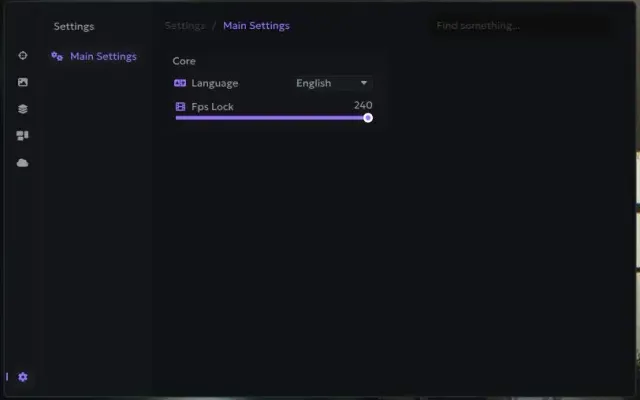
The lagswitch blocks the game's network traffic for a set time: you can choose inbound or outbound traffic and the UDP or TCP protocol, and the activation mode can be temporary, toggled by a second key press or held. Settings cover block duration, the delay before it can be enabled again and a hotkey, with sound notifications and a firewall mode that works instead of a driver. Kick bypass repeats short blocks so the game does not drop the connection, and Randomizator varies their length. It also has a network repair button, saving and resetting the configuration, and a logs tab. It runs on Windows 10 or 11 with an Intel or AMD CPU and has no built-in spoofer.
Buy Lagswitch Desync for Escape From Tarkov on Fresh Focus: your key appears in your account and is sent to your email.
OTHER30
Main Tab
- Enable desync – activates all core features
- Enable Keybind – keybind to activate features
- Sounds – sound effects for actions (e.g. activation)
- Firewall mode – uses Windows Firewall instead of a driver
- Path – path to the target executable/game (used with Firewall mode)
- Method – activation method selection:
- Temporary: desync runs according to configured duration
- Pressing: runs until the key is pressed again
- Hold: runs while the key is being held down
- Traffic – type of traffic to block:
- Outbound: outgoing traffic
- Inbound: incoming traffic
- Duration – desync active time (without kick bypass, for Temporary method)
- Delay after – delay after desync ends before it can be reactivated
- KeyBind – main hotkey for desync activation
- Protocol – traffic protocol to block:
- UDP
- TCP
- Kick bypass – prevents disconnection from the game due to poor connection:
- Duration: duration of each desync cycle
- Separator: delay between desync cycles
- Iterations: number of desync repetitions (Duration * Iterations)
Settings Tab
- Randomizator – randomizes the duration of the block
- Fix Traffic – emergency button to restore internet if something goes wrong
- Save Configuration – saves current config
- Reset Configuration – resets config to default settings
Logs Tab
- All logs – enables log display during desync activation
- Delete Logs – removes log files
- Log File – location of the log file
- Logs – displays software activity logs
- Included spoofer
- No
- Supported game modes
- Windowed, Borderless, Fullscreen
- Supported CPU
- Intel & AMD
- Supported OC
- Windows 10, 11
More Escape From Tarkov cheats
All cheats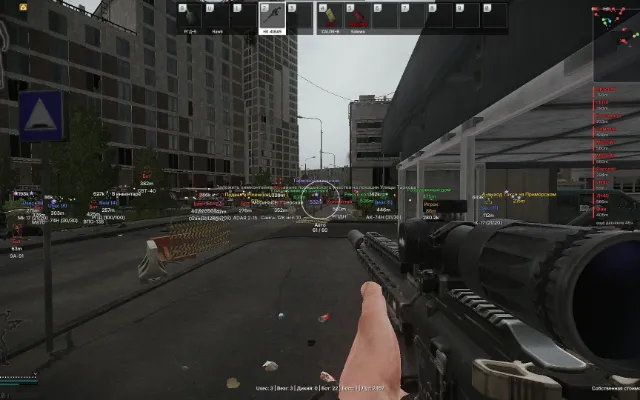
Before you buy: what cheat statuses mean, how to check system requirements, how to buy a cheat. See also all Escape From Tarkov cheats and all Lagswitch cheats.