
Vengeance Lite
Visuals:
Npc - Enables display of information for non-player characters (bots, mutants, animals).
Box Type - Selection of the type of frame displayed around the target.
None - No frame.
Fill Box - Frame with semi-transparent fill.
Bone - Enables display of opponent's skeleton.
Names - Displays in-game nicknames above players' heads.
Distance - Shows distance to target in meters.
Weapons - Displays the name of the weapon in the opponent's hands.
Sleepers - Enables highlighting of players who are in a "sleep" or inactive state.
============================================
Misc:
Debug Camera(Safe on FacePunch) - Free view camera. Allows separating the camera from the character's body to survey the area. The mark indicates that the function is considered safe on official Facepunch servers.
Remove Layers - Layer removal.
Remove Constructions - Removes certain constructions (walls, doors) for viewing. Illegitimate.
Remove Water - Removes or makes water transparent.
Remove Terrain - Simplifies or removes landscape elements (grass, small stones) for better visibility.
Remove Layers keybind - Key for quickly enabling/disabling the layer removal function.
Crosshair - Enables display of static crosshair in the center of the screen.
============================================
Save Config:
Save Config - Save current settings to a file.
Load/Unload - Load or unload a previously saved config.
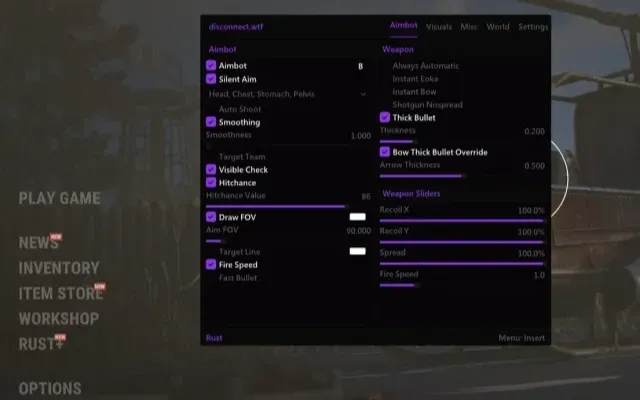
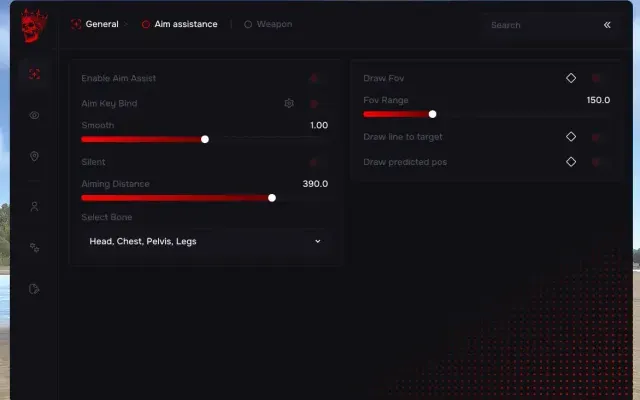
AIMBOT1
- Bone - Enables display of opponent's skeleton.
OTHER39
- Visuals:
- Npc - Enables display of information for non-player characters (bots, mutants, animals).
- Box Type - Selection of the type of frame displayed around the target.
- None - No frame.
- Fill Box - Frame with semi-transparent fill.
- Names - Displays in-game nicknames above players' heads.
- Distance - Shows distance to target in meters.
- Weapons - Displays the name of the weapon in the opponent's hands.
- Sleepers - Enables highlighting of players who are in a "sleep" or inactive state.
- ============================================
- Misc:
- Debug Camera(Safe on FacePunch) - Free view camera. Allows separating the camera from the character's body to survey the area. The mark indicates that the function is considered safe on official Facepunch servers.
- Remove Layers - Layer removal.
- Remove Constructions - Removes certain constructions (walls, doors) for viewing. Illegitimate.
- Remove Water - Removes or makes water transparent.
- Remove Terrain - Simplifies or removes landscape elements (grass, small stones) for better visibility.
- Remove Layers keybind - Key for quickly enabling/disabling the layer removal function.
- Crosshair - Enables display of static crosshair in the center of the screen.
- Items:
- [F] Food - Food.
- [T] Transport - Transport.
- [i] Important - Important resources (useful minerals, components).
- [N] Nature - Natural resources (trees, stones).
- [A] Animals - Animals.
- [T] Trap - Traps.
- [H] House - Containers, boxes, storage.
- Items dist - Maximum distance for displaying items.
- Traps dist - Maximum distance for displaying traps.
- Palette:
- Color Name - Player nickname color.
- Color Distance - Distance text color.
- Color 2D Box - 2D radar frame color.
- Color Team - Team color.
- Color Weapons - Weapon text color.
- Color Wounded - Color for marking wounded opponents.
- Color Crosshair - Static crosshair color.
- Save Config:
- Save Config - Save current settings to a file.
- Load/Unload - Load or unload a previously saved config.
- Built-in spoofer
- No
- Anti-cheat
- EAC
- OBS stream-proof
- Yes
- Supported window modes
- Windowed, Borderless
- Supported processors
- Intel and AMD
- Supported systems
- Windows 10, 11

More Rust cheats
All cheats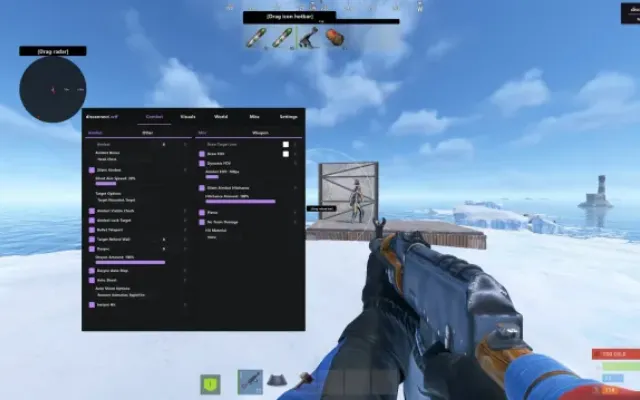
Before you buy: what cheat statuses mean, how to check system requirements, how to buy a cheat. See also all Rust cheats and all Vengeance cheats.